icon

How to Set Up Missed Call Control Through CRM

In the modern sales world, every missed call is a potentially lost client and money that flows straight to competitors. Imagine: you spend thousands of hryvnias on advertising, a client sees your offer, decides to call, and hears long beeps in response. What does he do? Right – he looks for an alternative and buys from whoever answered first.

Key Takeaways

  • A missed call without an automatic callback task disappears in the work chaos, the client goes to a competitor, and you lose revenue.
  • Twenty to thirty percent of all inquiries go unanswered, which means hundreds of thousands of hryvnias in lost profit for an average business.
  • CRM should distinguish between new leads and repeat calls from existing clients, assign priorities and automatically create a contact or task with a deadline.
  • Managers close tasks by marking “called back,” but without listening to recordings and controlling conversion to deals, you won’t see the real quality of work.
  • Reports by time of day and sources will show when the department is overwhelmed with workload and from which channels clients most often can’t get through.

In the article below you will find a step-by-step algorithm for setting up telephony integration with CRM, processing regulations and a list of specific reports for controlling the quality of work with missed calls 👇

Without systematic missed call control CRM you’re working blind. You don’t see the real picture of your sales department’s workload, lose valuable leads, and can’t objectively assess how effectively your team handles inquiries. In this article, we’ll break down how to turn the chaos of missed calls into a managed system that won’t let you lose a single potential buyer.

Why Missed Calls are the Main Problem of Sales Department

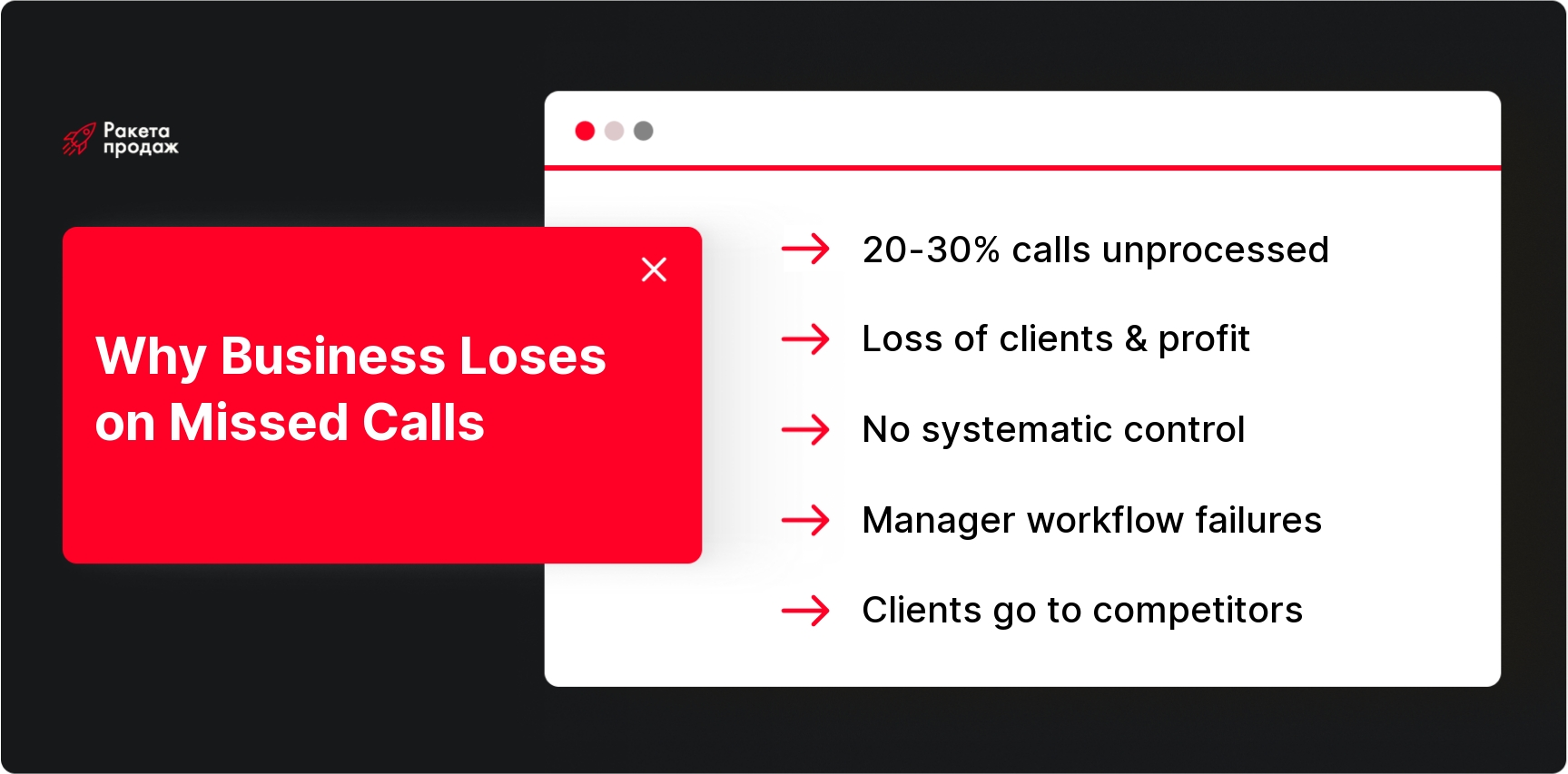
Let’s be honest: most managers don’t even suspect how much money they lose due to unanswered calls. According to research on the Ukrainian market, the share of missed calls in the CRM can reach 20-30% of all inquiries. For an average business, this means hundreds of thousands of hryvnias in lost revenue per year.

Customers today are not ready to wait. If you don’t answer within the first 5-10 minutes, they’re already dialing a competitor’s number or looking for alternatives online. This is especially critical for online stores and service companies, where every lead is worth its weight in gold. Imagine an online store with an average check of 5000 hryvnias and a 37% conversion rate – just 20 missed calls per week can cost it up to 150,000 hryvnias in losses per month.

Without systematic recording of CRM missed calls it’s impossible to understand where exactly your sales department is “drowning,” which managers can’t cope with the workload, and at what hours clients most often remain unanswered. This turns sales management into a guessing game, where every mistake costs real money.

Setting up missed call control may seem like a complex task, but without it, every lost client is direct revenue loss. How many times has your sales department “lost” hot leads simply because they didn’t have time to answer or forgot to call back? At “Sales Rocket” we understand that modern CRM is not just a contact database, but a comprehensive system for managing every client inquiry.

Over 8+ years of work, we’ve helped 208 companies build sales departments where no call goes unnoticed and unprocessed. Our methodology includes CRM customization for business specifics, telephony integration, creation of automatic callback tasks and quality control systems.

The result? Our clients get transparent processes where every missed call becomes a manageable task, and the average revenue growth is +35% in the first months of operation.

Turn the chaos of missed calls into a system of guaranteed sales - get a free CRM efficiency audit!

What Missed Call Control Through CRM Means

Missed call control CRM is not a list of unanswered calls in the phone system. It’s a comprehensive system where every missed call automatically becomes a manageable entity: a contact is created or linked to an existing client, a task is assigned to a responsible manager with a clear deadline, the source of inquiry is recorded, and the processing result is controlled.

The key idea is that CRM should not only record the fact of missing but also ensure its guaranteed processing. When a client can’t get through, the system automatically creates a callback reminder, sends notifications to the manager and supervisor, and reports clearly show whether a return call was made and how it ended. Without such telephony and CRM integration, missed calls simply “dissolve” in work routine, and clients go to more responsive competitors.

Modern solutions go even further and allow separating unprocessed and processed misses, giving the manager a clear picture of current tasks and helping not to waste time on already closed inquiries.

What Call Data Should Get Into CRM

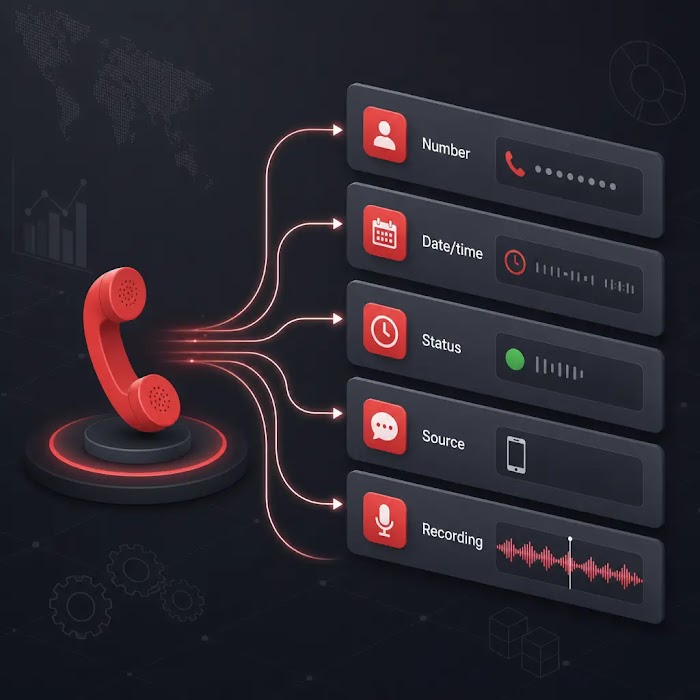
For effective CRM missed call tracking the system should record the full context of each inquiry. The basic set includes client’s number, call date and time, status (answered/missed/busy), waiting duration, responsible manager, and call termination reason.

But this is not enough. Advanced integration should also transmit the inquiry source – where the client learned your number, which advertising campaign or website page they saw. If you have call tracking in CRM configured, the system will receive data about keywords, UTM tags, and attraction channels. Call recording should also be automatically linked to the client’s card so that during callback the manager can quickly restore context.

It’s especially important that CRM missed calls correctly classifies by inquiry type. A new incoming lead from an unknown number requires one approach – creating a new contact and deal. A repeat call from an existing client needs different logic – setting a task in their card considering relationship history. And a missed call on an active deal should have maximum priority since the client is already in the purchase process.

Such detail helps properly prioritize and not lose hot applications in the general task flow.

call data in CRM — Diagram of call data captured in CRM system

Review of Best Solutions for Telephony and CRM Integration

The Ukrainian market offers several proven telephony and CRM combinations that ensure quality missed call control. The leader in specialized reporting is considered Ringostat – a call tracking and virtual PBX platform that provides detailed analytics on unprocessed missed calls with automatic separation of current and already processed inquiries.

Binotel remains one of the most popular cloud PBX systems with extensive integration capabilities, quality call reports, and flexible routing. Phonet stands out with ready modules for Ukrainian CRMs and automatic task creation function when duplicate contacts are detected. Zadarma attracts with competitive rates and built-in CRM functionality for small business.

Among CRM systems, it’s worth highlighting SalesDrive with ready integrations for e-commerce, KeyCRM and LP-CRM as fast-growing Ukrainian solutions, and Perfectum CRM+ERP with modular architecture and special CallsApp module for IP telephony. Kyivstar Virtual PBX combined with Ukrainian CRMs provides reliability of a major operator plus localized support.

If you want to get more information about the best solutions on the market, pay attention to the detailed review and rating: best CRM systems for sales.

The choice of specific combination depends on business specifics, but the main thing is to ensure that integration supports automatic task creation for missed calls and provides detailed reports for controlling their processing.

Step-by-Step Instructions: How to Organize Missed Call Control in Your CRM

Let’s break down the entire process step by step – from technical setup to creating effective work regulations. Following this algorithm, you can turn the chaos of missed calls into a managed system that won’t let you lose a single client.

Step 1. Connect Telephony to CRM

Missed call control CRM starts with quality integration of telephony and client system. While your managers take calls on mobile numbers or regular PBX without CRM connection, you see only part of the picture. Managers may “forget” to record calls, and the supervisor remains unaware of the real volume of inquiries and misses.

You can read in detail about the integration process in the material Telephony Integration with CRM, where integration nuances, setup, and typical errors when launching a project are considered.

First, connect a virtual PBX – a cloud system that accepts all incoming calls to corporate numbers and automatically transfers data about each call to CRM. This can be Ringostat, Unitalk, Binotel, Phonet, or Kyivstar Virtual PBX – the main thing is that the chosen solution has ready integrations with your CRM system.

Before connecting, be sure to check what data is automatically transmitted: call status, duration, client number, inquiry time, source (with call tracking), call recording. The more complete the integration, the more accurate the control and analytics on missed calls will be.

Properly configured telephony and CRM integration will become the foundation for all further optimizations and customer service quality control.

Step 2. Set Up Automatic Recording of Missed Calls

Technical integration is not enough – you need proper logic for processing missed calls in CRM. Every unanswered call should automatically create a manageable event: new lead, callback task, notification to responsible manager, or record in existing client’s card.

The key point is that the system should distinguish between new and repeat inquiries. If the phone number is already in the database, the missed call is linked to the existing client or deal card, preserving all context of previous interactions. When an unknown number calls, CRM automatically creates a new contact and potential deal, not letting the application get lost.

Modern solutions, such as the unprocessed missed calls report in Ringostat, go even further and automatically track the processing status of each miss. As soon as the manager calls back the client or the client calls again themselves, the corresponding miss moves to the processed category, and only tasks requiring attention remain in the current list.

To increase efficiency, use lead processing automation to ensure no request goes without attention and response.

Such automation guarantees that no inquiry falls out of sight, and the supervisor always sees the real picture of unprocessed misses.

Step 3. Create Incoming Call Processing Rules

Technical recording of missed calls is only half the job. Without clear regulations CRM inbound call handling each manager will act at their own discretion, leading to chaos and client losses. You need transparent rules that all sales department employees will follow.

Define time standards: how many minutes to call back a client after a missed call (recommended 5-15 minutes), how many dial attempts to make if the subscriber doesn’t answer, what time and days you can call. Specify who exactly is responsible for each type of missed call – duty manager, client-responsible person, or shift supervisor.

Create scripts for callbacks on missed inquiries. The manager should introduce themselves, apologize for not being able to answer immediately, find out the reason for the call, and offer a solution. It’s important to record in CRM the result of each callback: whether they got through or not, what information they received, whether a meeting or repeat call was scheduled, whether a deal was created.

If you’re just building a team or updating staff, the step-by-step guide to manager adaptation will help you – from it you’ll learn how to quickly and effectively implement new employees into call processing processes.

Standardized CRM inbound call handling allows maintaining high service quality regardless of department workload and specific employee experience.

Step 4. Set Up Tasks and Notifications for Managers

A missed call should instantly turn into a specific task with a responsible executor and clear deadline. CRM missed calls automatically converts into callback tasks that enter managers’ personal planners and display in supervisor’s general reports.

Set up notification system: push notifications in CRM mobile app, email distribution, messages in corporate messenger, or SMS to manager’s personal number. The faster an employee learns about a missed call, the higher the chances of reaching the client before they turn to competitors.

Each task should have priority and completion deadline. Missed calls from VIP clients or on active deals get maximum priority, new leads get standard priority, and repeat inquiries on technical issues can be processed in planned mode.

If the callback task is not completed on time, the system should automatically escalate it to the supervisor or create additional reminders. This guarantees that no missed call remains without attention even on the busiest days.

Step 5. Assign Responsibility for Missed Calls

One of the most frequent failures is missed calls falling into a “common pot” without a specific responsible person. As a result, everyone thinks someone else will definitely call back, and the client remains without feedback. In CRM missed calls must have a clear executor from the first second.

There are several options for responsibility distribution. You can assign a duty manager per shift who processes all missed calls during certain hours. Alternative – linking to existing clients: if a familiar number calls, the task goes to the manager who handles this client. For new leads, rotation in turn among free employees or geographical distribution works.

In small sales departments, you can assign the shift supervisor or most experienced manager as responsible – the main thing is that this person is guaranteed to be at the workplace and can promptly respond to incoming tasks.

The distribution system should consider current employee workload, their competencies and specialization so the client receives qualified help, not a formal response.

Step 6. Set Up Missed Call Processing Statuses

For effective control missed call control CRM requires a clear status system that allows tracking the lifecycle of each missed inquiry from recording moment to complete closure.

Basic status set: “New missed call” → “Task created” → “Called back, client answered” → “Client didn’t answer, repeat call scheduled” → “Request processed, deal created” → “Non-target call, closed”. It’s also useful to highlight intermediate statuses like “In progress with manager” or “Awaiting client decision”.

Such detail allows the supervisor to see not just the number of missed calls but understand at what processing stage each one is. You can quickly identify bottlenecks: if most tasks get stuck at “Client didn’t answer” stage, it means you need to reconsider callback time and frequency or add alternative communication channels.

Statuses should update automatically when performing certain actions (callback, deal creation, receiving client response) and manually by managers when the situation changes. This creates a complete processing history of each missed call and helps analyze process effectiveness.

Step 7. Set Up Call Reports in CRM

Without quality analytics call tracking in CRM turns into useless data accumulation. You need clear reports that show real effectiveness of missed call work and help identify improvement points.

If you strive for better process understanding and want to promptly adjust the sales department, the functionality Sales Department Analysis and Dashboards will help you use data most effectively – these are solutions for visualizing all key metrics and quickly assessing team performance.

Basic report set includes: total number of incoming calls per period, number and share of missed calls, average time to callback, percentage of successfully processed misses. Manager breakdown will show which employees cope with workload and who needs additional support or training.

Time of day and weekday breakdown will reveal peak hours when the sales department can’t handle call flow. Perhaps it’s worth strengthening duty during certain hours or reconsidering work schedules. Analysis by advertising sources (with call tracking) will show from which channels come clients who most often can’t get through.

Call tracking in CRM should help not only identify problems but find solutions: optimize staffing, improve routing processes, adjust advertising campaigns, and increase overall sales department effectiveness. Regular analysis of these reports turns call management from reactive process into proactive planning.

missed call control setup — Step-by-step diagram for setting up missed call control in CRM

How to Control Callback Quality

It’s not enough to simply record that a manager called back a client – it’s important to ensure this callback was quality and effective. Too often employees formally close missed call tasks without identifying the client’s real need and not offering the next step.

For missed call control CRM a “called back” mark is insufficient – you need conversation content analysis. Use call recordings for selective listening and communication quality assessment. Check whether the manager apologized for the missed call, found out the client’s need, offered a specific solution, or scheduled a meeting.

Create a quality callback checklist: introduction and apology, finding out inquiry reason, presenting relevant solution, agreeing on next steps, recording result in CRM. If the manager doesn’t follow this algorithm, the callback is considered poor quality even if the task is formally completed.

Track missed call conversion to deals. If a certain employee regularly “processes” misses but they rarely turn into sales, this is a signal for additional training or reconsidering approaches to client work.

Common Mistakes When Setting Up Missed Call Control

Even with modern tools, companies regularly make mistakes that nullify all automation benefits. The most frequent problem is telephony existing separately from CRM. Managers continue taking calls on personal mobile numbers, and the supervisor sees only information that employees manually enter into the system.

Another critical error is missed calls being recorded but not creating automatic tasks. As a result, they fall into a general “for information” list, but no one specifically is responsible for callback. Clients remain without feedback, and the supervisor thinks the “process is configured.”

Often companies don’t establish clear time frames for callback. A “call client back” task without deadline can hang for weeks until the manager finds free time or accidentally remembers it. By that time, the client has long solved their issue through competitors.

Many don’t separate new inquiries and repeat calls from existing clients, losing context and relationship history. A VIP client trying to get through on an important issue ends up in the general queue with cold leads.

Lack of callback quality control is another pain point. Managers formally close tasks with “called back, client didn’t answer” mark, but may actually not call at all or make one attempt at inappropriate time. Without selective checking and recording analysis, such violations remain unnoticed.

To minimize typical errors and increase results, we recommend studying main CRM system implementation errors to avoid them at start and build the most effective process.

CRM setup mistakes — Common mistakes in missed call control setup

Missed call control through CRM is not just technical setup, but the foundation of stable sales and business growth. However, implementing all described processes requires deep expertise in sales automation and understanding how to properly integrate telephony with CRM system for specific business model. “Sales Rocket” specializes in comprehensive sales department systematization: we not only configure technical integrations but build the entire client work cycle from first call to deal closure.

Our methodology includes choosing optimal CRM for your tasks, setting up automatic call processing processes, training team for effective system work, and creating transparent reports for result control.

Among our clients are Mitsubishi, Audi, Naftogaz, who received manageable sales departments with up to 86% conversion and stable revenue growth.

In 4 months of cooperation, one of our clients increased monthly revenue by +$10,907,403, and average growth across all projects is +35%. Don’t spend months on independent experiments with uncertain results.

Create a CRM system that turns every call into profit - start with free consultation today!

Conclusion

image

Missed call control CRM is not just technical setup, but a comprehensive client communication management system that directly affects company revenue and reputation. Properly built telephony and CRM integration turns every missed call into a manageable task with clear executor, deadline, and result control. Automatic recording, smart routing, and detailed analytics provide opportunity to not only not lose clients but constantly optimize service processes. Remember: in current Ukrainian market realities, every unanswered call is a gift to competitors, and quality control system becomes a competitive advantage that pays for itself in the first months of use.

In this article:
See more
Book a FREE sales funnel audit
CONTACT US
FAQ
What to do with missed calls in CRM?

Every missed call should automatically create a callback task with specific responsible person and deadline. The system should distinguish new and repeat inquiries, set priorities by client importance, and control each callback result until complete inquiry closure.

Who should process missed calls?

Responsibility is distributed differently: shift duty manager for all misses, personal manager for existing clients, rotation in turn for new leads. The main thing is to avoid “general responsibility” situation when no one specifically is responsible for callback.

How to link missed calls with advertising?

Use call tracking that automatically transmits advertising source data of each call to CRM. This allows analyzing from which channels come clients who can’t get through and adjusting marketing budgets in favor of more “calling” channels.

SUBSCRIBE TO MY TELEGRAM CHANNEL
The most valuable sales information right on your phone!
icon

LOTS OF USEFUL INFORMATION, FREE TEMPLATES, AND CHECKLISTS ON MY INSTAGRAM

Materials and practical advice on sales growth in our blog: