Key Takeaways
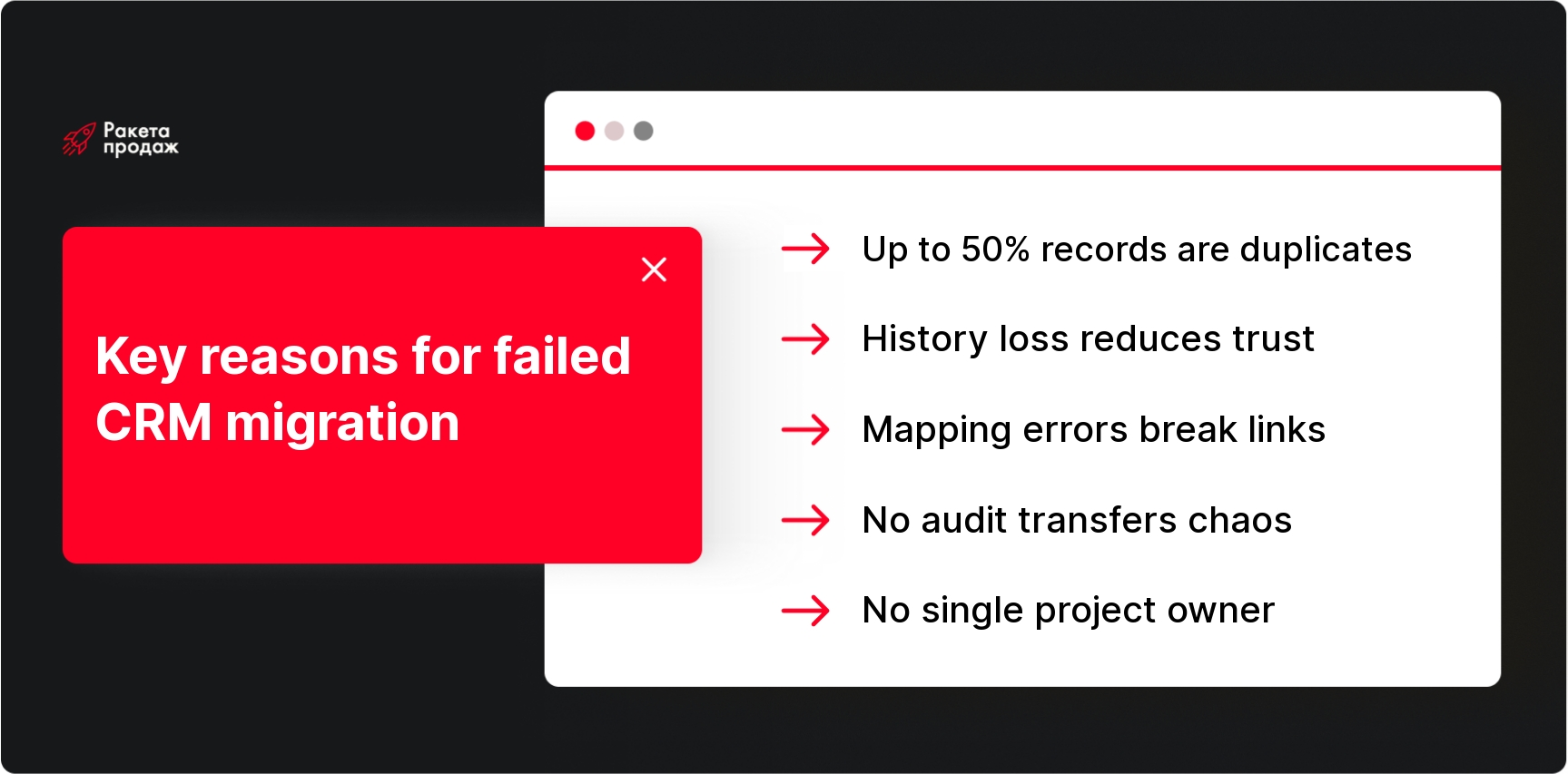
- CRM migration without audit turns into transferring chaos: up to 50% of records may be duplicates, empty, or outdated, and you’re simply copying garbage into the new system.
- Loss of deal history damages client trust. A manager calls a regular customer and offers what was discussed six months ago, the client feels forgotten and unvalued.
- Test migration on 50-100 records reveals critical mapping errors, encoding issues, and broken connections between companies, contacts, and deals.
- The new CRM structure is configured for real sales processes, not copying the old one. Migration is a chance to fix accumulated errors in funnels and statuses.
- A single project owner at the top management level resolves conflicts between departments, allocates resources, and prevents migration from turning into endless approvals.
In the article below, you’ll find a step-by-step algorithm for customer base migration to CRM, specific tools for data cleaning, and ways to avoid typical mistakes that cost weeks of chaos. Read the full article 👇
For many companies, CRM change becomes not just a technical upgrade, but a necessity for scaling sales, improving analytics, and bringing order to the customer base.
Planning customer base migration to CRM but worried about losing important client information or disrupting your sales department? These are understandable concerns – poor migration can turn into months of chaos and missed deals. At “Sales Rocket,” we’ve developed a systematic methodology for transferring customer bases without losses over 8+ years of work. Our team conducts comprehensive audits of all data sources, configures new CRMs for real business processes, and ensures seamless transition with complete preservation of client interaction history. We integrate CRM with telephony, email systems, and other tools, create convenient dashboards for control, and train teams for effective work with the new system. During our collaboration, clients receive not only quality migrated data but also optimized sales processes that generate an average revenue increase of +35%.
Transform your CRM migration into a sales growth catalyst - get a free consultation on data transfer without losses!
The main problem is that customer base migration to CRM affects not only data but also team habits, sales processes, analytics, and even client relationships. Without proper preparation, you risk losing not only contacts but also the context of all interactions – meaning managers will start communicating with regular clients as if they were newcomers. In this article, we’ll break down a step-by-step algorithm for migration, show how to avoid typical mistakes, and preserve all important client information.
What Data Needs to Be Transferred to New CRM
When it comes to customer base migration to CRM, most executives think only about phone lists and emails. But this is just the tip of the iceberg – full migration includes much more elements. Companies and contacts form the base foundation, but without interaction history, this information becomes dead weight. Contact data is supplemented by deals with their stages and amounts, tasks with deadlines and responsible parties, manager comments, and complete communication history.
Special attention should be paid to system data: lead sources, segmentation tags, client statuses, and connections between records. If you’re running B2B sales, it’s critically important to preserve the “company – contacts – deals” hierarchy, because losing these connections will turn a structured base into chaos of scattered records. Documents, invoices, call history, and correspondence – all this also needs to be considered when planning migration. When migrating from another CRM, it’s also important to think through how to transfer a customer database to a CRM while preserving all these interconnections. The next question is how to properly organize history transfer to avoid losing the context of client relationships.
Proper customer base migration to CRM should consider not only importing contacts but also preserving all communication history, active deals, and internal connections between entities.
Why Preserving Deal History and Communications is Important
Interaction history is the company’s memory of each client, and its loss can be costly. Imagine this situation: a manager calls a regular client and starts talking about products they already bought six months ago, or offers conditions worse than those discussed at the last meeting. The client feels that the company doesn’t remember or value them – trust falls, and the deal may collapse due to basic lack of information.
Transferring CRM transaction history shows the complete customer journey: what products interested them, what objections arose, who was the responsible manager, at what stage negotiations stopped. This data helps not only continue dialogue from the right point but also plan future offers, analyze sales effectiveness, and identify problem areas in the funnel. It’s especially critical to preserve context for active deals – those in progress at the time of migration must transition to the new system with all details and comments.
Correspondence, calls, meetings, and documents create a complete picture of client relationships. Without this information, managers lose the advantages of long-term cooperation and are forced to rebuild trust from scratch. Now let’s figure out who in the company should be responsible for quality migration of all this data.
Who Should Be Responsible for CRM Transfer Within the Company
CRM migration is not a task for one IT specialist in a corner office. It’s a cross-functional project requiring participation from all key roles: from business owners to regular managers. The sales director knows which fields are actually used, which deals are priority, and how analytics should look. The operations director understands connections between sales, logistics, and finance. The CRM administrator knows technical capabilities and system limitations.
The technical team can upload files and configure imports, but only business users can verify whether funnel stages transferred correctly, deal amounts display properly, and important comments weren’t lost. Managers who work with clients daily should participate in testing and data validation – they’ll be first to notice discrepancies and errors.
Ideally, the project has a single owner at the top management level who can make priority decisions, allocate resources, and resolve conflicts between departments. Without such coordination, migration turns into endless approvals and compromises that ultimately satisfy no one. But before distributing roles, you need to carefully plan the entire process.
Planning and Preparing for Migration
Successful migration begins not with data export but with deep analysis of what you have and what you want to achieve. The first step is auditing all client information sources: old CRMs, Excel spreadsheets, Google Sheets, 1C, online stores, marketplaces, telephony, messengers. Many companies are surprised to discover that client data is scattered across dozens of systems and each manager has their own “secret” contact bases.
After source inventory, you need to assess data quality: how many duplicates, empty fields, outdated records, how many clients without responsible managers, how many deals stuck in undefined statuses. This audit will show the task scope and help decide which data to transfer, which needs cleaning, and which is better abandoned entirely.
Planning includes selecting a new CRM considering business specifics, determining data structure, mapping fields between old and new systems, and creating a calendar plan considering peak sales periods. You can’t launch migration during the busiest season – it’s better to choose a relatively calm time when the team can pay attention to the new system. The first practical step should be a detailed audit of your current base.
The key to successful migration will be not only planning but also understanding the specific tasks your CRM should solve. If you’re at the selection stage, check out the rating and review of best CRM systems for sales – this will help choose a platform that best fits your business processes.
Step 1. Conduct Customer Base Audit
Customer base audit is diagnostics that will show the real state of your data and help avoid unpleasant surprises during migration. Start with quantitative assessment: how many client records, contacts, companies, deals, tasks you have. Then analyze quality: what percentage of records have filled phones, emails, company names, responsible managers. Often it turns out that in a base of 10,000 contacts, only half have current phones, and a third of deals hang without responsible parties.
Pay special attention to finding duplicates – this is the most common problem when working with customer bases. One client may be recorded under different names, with different phones, as both an individual and entrepreneur simultaneously. Duplicates arise when managers create new records instead of searching existing ones, when clients come through different channels, or when data is imported from multiple sources without cross-checking.
Also check data relevance: when records were last updated, are there clients with no contact for over a year, are deal statuses and funnel stages correct. Don’t transfer all “junk” from the old system – it’s better to immediately separate active clients from archived ones. Audit results will determine the data cleaning strategy.
To maintain order after migration, it’s important to implement regular control processes. Check out approaches to CRM control and hygiene so your new system stays clean and efficient long-term.
Step 2. Clean and Structure Data
Data cleaning is not a one-time action before migration but an investment in your future CRM quality. Start with merging duplicates: find records of the same clients by field combinations (phone + email + company name) and merge them into single cards, preserving all interaction history. This is meticulous work, but it will pay off in the first weeks of working with the new system.
Standardize all key fields: phones in international format (+380), emails in lowercase, addresses according to standard schemes. Check and correct company names – often one organization appears under different name variations (LLC, Ltd, abbreviations). Remove obviously irrelevant records: clients with no contact for several years, deals with zero amounts, tasks with overdue deadlines.
Data structuring includes separating information by entity types: separate companies, separate contact persons, separate deals linked to responsible parties. If the old system stored everything in one “heap,” you’ll need to distribute data across proper categories. Prepare reference books: client statuses, lead sources, deal types, funnel stages – they should match the new CRM logic.
Quality cleaning can reduce the base volume by 30-50%, but the remaining data will actually work for business. The next step is configuring the new CRM structure for your processes.
Step 3. Define New CRM Structure
Before importing data, the new CRM must be configured for your company’s real business processes. This doesn’t mean copying the old system structure – on the contrary, migration provides an opportunity to fix accumulated problems and optimize the sales funnel. Start with defining sales stages: from first contact to deal closure and post-sales service.
Configure client statuses that reflect their value and potential: active, potential, inactive, VIP, problematic. Determine mandatory fields for each record type – what information is critically important for managers’ work, and what can be optional. Create user roles with proper access rights: managers see their clients, supervisors see everyone, marketing sees lead analytics.
Think through lead sources and attraction channels – this information is needed for marketing effectiveness analysis. Configure automatic lead distribution rules between managers, notifications about important events, templates for typical communications. The better the CRM structure is prepared, the easier data import will be and the faster the team will adapt to the new system.
Pay special attention to integrations: if CRM should work with website, telephony, email campaigns, configure these connections in advance. Only after complete system setup can you proceed to field mapping for migration.
If automation and business process digitization are new to you, study the basic principles of CRM system implementation. This will help avoid startup mistakes and consider all integration features of various tools.
Step 4. Map Fields Between Old and New CRM
Field mapping is the bridge between old and new systems, and data transfer correctness depends on its quality. Different CRMs use different information storage logic: somewhere client and contact are one entity, somewhere they’re separated, somewhere there’s a separate “company – department – contact” hierarchy. Your task is correctly mapping fields so data ends up where users will look for it.
Create a correspondence table: old system fields on the left, new ones on the right. For each field, define transformation rules: whether format changes are needed, combining multiple fields into one, or vice versa. For example, a “Full Name” field may need splitting into first name, last name, and middle name, while multiple phone fields may need combining into one with type indication.
Pay special attention to reference fields: statuses, sources, client types, regions. The old CRM might have 20 statuses, while in the new one you decided to keep only 8 – you need to predetermine which old statuses transition to which new ones. Same with responsible managers: if someone quit, their clients need reassignment to current employees.
Don’t try to transfer everything – focus on truly important data. It’s better to quality transfer 80% of information than poorly import 100%. After mapping, definitely run a test on a small data volume.
Step 5. Perform Test Data Migration
Test migration is your insurance against disaster during the main transfer. Choose 50-100 client records representing different data types: active and inactive clients, large and small deals, records with complete field sets and minimal ones. Include several problematic records with duplicates or non-standard data in the test – they’ll reveal weak spots in the process.
Run test data import and carefully check results. Did all fields end up in the right places? Were connections between companies and contacts preserved? Do deal amounts, dates, statuses display correctly? Did extra records or duplicates appear? Pay special attention to text encoding – Russian symbols and special characters often get corrupted during import.
Ask several managers to work with test data in the new CRM: find familiar clients, view deal history, create tasks. Their feedback will show problems not visible at the technical level. You might discover that important information ended up in an inconvenient place or was lost during transfer.
Based on test results, adjust field mapping, fix data errors, refine transformation rules. It’s better to run several test iterations than face problems when transferring the entire base. Only after successful testing can you proceed to main migration of contacts and companies.
At this stage, migrating customers to CRM follows an approved scenario that minimizes risk of data loss and database structure errors.
Step 6. Transfer Contacts, Clients, and Companies
Main customer base migration begins with basic entities – companies and contacts. This is the foundation to which deals, tasks, and all communication history are later attached. Correct sequence: first companies, then contact persons linked to companies, then additional information like addresses and details.
When organizing the process, it’s important to understand how to transfer a customer database to a CRM most effectively. Quality transferring contacts to CRM involves preserving company structures, correct distribution of responsible managers, and checking uniqueness of all contact data. Monitor preservation of connections between records – each contact must be properly linked to their company, each company to a responsible manager. If these connections break, the new CRM will quickly turn into an unstructured data dump. Pay special attention to identification fields: phones, emails, company tax IDs – they must be unique and correct.
Check that all reference values imported correctly: client statuses, lead sources, company types, regions. If unplanned new values were created during import, find and fix them. Ensure access rights work properly – managers see their clients but don’t have access to others’ data.
After importing basic data, conduct spot checks: open familiar client cards, verify contact information, ensure search works correctly. Only after ensuring quality contact and company transfer can you move to more complex data – deals and interaction history.
Step 7. Transfer Deals, Tasks, and Interaction History
Transferring transactions to CRM is the most responsible migration stage because it involves money and active projects. Each deal must enter the new CRM with correct amount, proper funnel stage, current closing date, and responsible manager. Pay special attention to active deals – those in progress during migration. For them, it’s critically important to preserve all context: latest agreements, meeting plans, special conditions.
Tasks are transferred with deadlines, priorities, and responsible executors specified. It’s better to close overdue tasks in the old system or transfer with new realistic deadlines – don’t clutter the new CRM with “dead” reminders. Check that tasks are properly linked to clients and deals, otherwise managers won’t see the complete picture of work with each contact.
Communication history includes calls, emails, meetings, sent proposals. Depending on CRM capabilities, this information can transfer as comments, separate activities, or attached files. The main thing is preserving chronology and linking to specific clients. If complete history is too voluminous, transfer at least key events from the last year.
Documents and files – commercial proposals, contracts, presentations – are also an important part of client history. Check new CRM limitations on storage volume and file formats. You might need selective transfer of only the most important documents, leaving others in archive with links.
Step 8. Verify Data After Migration
Technical import is not the end of migration. The most important check is business-oriented: data must be not only uploaded but suitable for real work. Start with quantitative verification: how many records were in the old system and how many made it to the new one. Discrepancies are inevitable due to duplicate cleaning and archived data, but they should be explainable and documented.
Check large and VIP clients selectively – open their cards and verify all information: contacts, deal history, tasks, comments. Ask managers to find their key clients and ensure all important information is in place. Pay special attention to active deals: correct amounts, stages, dates, responsible managers.
Test main work scenarios: creating new deals, adding tasks, sending client emails, generating funnel reports. Check that search works correctly and finds clients by different criteria: name, phone, company name. Ensure access rights are configured properly and each user sees only what they should.
Compile a list of identified problems and their resolution plan. Minor errors can be fixed post-factum, but critical problems are better resolved before full system launch. After checking and fixing errors, CRM is ready for production use, but there’s still one important stage ahead – working with possible complications.
Possible Migration Difficulties and Solutions
Even the most thorough preparation doesn’t guarantee perfect results – almost all migrations encounter unforeseen problems. Data loss happens due to field mapping errors, import failures, or format incompatibility between systems. To minimize risks, make complete backups of the old system before starting migration and don’t delete data until fully confident in transfer success.
Format incompatibility is a typical problem when switching between different CRMs. Dates may import in wrong formats, amounts without currency indication, phones without country codes. Prepare data in advance: standardize all fields to standard formats, check text encoding, ensure numeric fields contain correct values.
Breaking connections between records turns a structured base into chaos of scattered information. Contacts lose links to companies, deals to responsible managers, tasks to clients. To avoid this, carefully plan import sequence and check that record identifiers properly correspond between systems.
Duplicates appearing after migration signal problems in data cleaning process. If one client imported multiple times under different identifiers, you’ll need to re-deduplicate in the new system. It’s better to prevent this problem with quality data preparation than fix it post-factum.
During new system implementation, it’s useful to familiarize yourself with CRM implementation problems in advance to avoid repeating typical mistakes and properly respond to team questions.
Practical Recommendations: Tools and Services for Migration
Tool selection for migration depends on data complexity, base volume, and project budget. For simple cases, standard export/import capabilities through CSV or Excel files are sufficient – this method suits small businesses with relatively clean data and simple structure. Google Sheets and Excel can help clean and transform data before import, especially for merging duplicates and standardizing formats.
For more complex scenarios, consider specialized ETL platforms like Talend, Pentaho, or cloud data integration services. These tools can handle large volumes, perform complex transformations, validate data during transfer, and provide detailed error reports. OpenRefine is excellent for data cleaning and normalization – it can find duplicates, fix typos, and standardize data formats.
When there’s lots of data or very complex structure, it makes sense to contact specialized integrators or migration solution developers. They can create individual scripts accounting for your systems’ and business processes’ specifics. Professional integrators usually offer full cycle: from data audit to post-migration support.
When choosing contractors, pay attention to experience with your specific systems, references from similar companies, and quality guarantees. A good integrator won’t just transfer data but help optimize processes, configure automation, and train teams to work with the new CRM.
Customer base migration to CRM is not just a technical operation but a strategic initiative that can dramatically improve sales management. But independent migration of the customer base to the CRM often leads to data loss, broken record connections, and months of system functionality recovery. “Sales Rocket” specializes in comprehensive “turnkey” CRM system implementation: from audit and data cleaning to complete process configuration, integrations, and team training. Our methodology includes professional analysis of all information sources, quality data preparation, test migration, and post-implementation support. We don’t just transfer contacts – we create sales management systems that work like clockwork. During our collaboration, clients achieve conversion growth up to 86%, with average revenue increase of +35%. Our partners include companies like Mitsubishi, Yamaha, and Naftogaz. Don’t risk sales stability to save on expertise.
Create a CRM system that becomes your business growth engine - order professional implementation right now!
Successful customer base migration to CRM transforms chaos of scattered data into a powerful tool for sales management and building long-term client relationships. Companies that take this path consciously – with careful planning, quality data preparation, and systematic employee training – gain competitive advantages through transparent analytics, automated processes, and predictable results. Time and resource investments in proper migration pay off through increased team efficiency, reduced routine operation time, and improved client service quality.


 Time to read: 11 min.
 01 June 2026