Key Takeaways
- An outdated CRM is more dangerous than an empty one – it creates an illusion of control where there is none, and makes the manager trust numbers that don’t reflect the real pipeline.
- Deals with no next step and tasks overdue by weeks turn the pipeline into a graveyard of leads that looks impressive but brings in no money.
- Managers don’t use the CRM not because of laziness, but because of an inconvenient system, unnecessary fields, and no personal benefit from filling it in.
- Rejection reasons filled in as “not relevant” or left blank entirely deprive the business of the only source of data on why the company is losing clients.
- Restoring the CRM starts with manually reviewing every outdated deal and implementing simple discipline rules that the team will follow every day.
Below you’ll find a step-by-step algorithm for auditing an abandoned CRM, specific signs of outdated data, and rules that will bring the system back into daily sales management 👇
In this situation, the manager looks at the CRM and has no idea what’s really happening with sales. The pipeline looks impressive, but it can’t be trusted. In this article, we’ll do an abandoned CRM analysis using a specific example, look at the signs that show data has long gone stale, explain why managers don’t use the CRM, and cover what to do to bring the system back into sales management.
Case Context: Which CRM and Sales Department We're Analyzing
Let’s take a hypothetical B2B company that sells production equipment. The sales department has five managers, leads come from the website and ads, and the average deal cycle is three to six weeks, because the decision isn’t made by one person but by a purchasing committee on the client’s side.
The CRM was implemented about a year ago. Training was conducted, pipeline stages were set up, and the team was told why it mattered. For the first couple of months, everything went according to plan – managers filled in cards, set tasks, and the sales manager saw the real picture. Then control loosened up. Part of the team turned over, new hires weren’t properly trained on the system, and some of the veteran managers gradually went back to their usual spreadsheets and calls “from memory.” This is a typical CRM implementation problem familiar to many companies in the Ukrainian market: a significant share of businesses still keep their client base in Excel and messengers in parallel, even while having a CRM.
Right now, at this company, the CRM formally works – people log in and change things. But as a sales management tool, it has stopped doing its job, and the sales manager has to collect real data manually, going around to each manager individually. Next, let’s break down what the term “abandoned CRM” actually means.
Do you recognize yourself in these symptoms of an “abandoned CRM”? A situation where managers work in messengers while the system turns into a nice-looking archive of old records happens with 80% of business owners who come to us at “Sales Rocket.” Over 8+ years, we’ve developed a systematic approach to diagnosing and restoring CRMs: from a full data audit to implementing workflows that the team actually uses every day. Our methodology includes not just technical database cleanup, but also creating clear regulations, training the team, and setting up automations that turn the CRM from a burden into a real sales management tool. As a result of our work, our clients get sales departments that consistently hit 150% of plan, with an average revenue increase of +35% and conversions growing up to 86%.
Turn your CRM from a dead archive into a working sales control tool - get a free CRM system audit!
What "Abandoned CRM" Means
Many people confuse an abandoned CRM with a system that nobody logs into at all. In practice, the problem is usually subtler and trickier. Managers log into the system every day, click around, change a status here and there, but they do it just for show, not for real work with the client.
The typical picture looks like this: deals get moved through stages retroactively right before the team meeting. Rejection reasons aren’t recorded, or something vague gets entered. Correspondence from messengers doesn’t get transferred to the CRM, and the next step with a client only exists in the manager’s head. On the surface, this kind of CRM looks quite alive – cards are filled in, amounts are entered, dates are set. But there’s zero management value in it, because the manager can’t trust the pipeline, the forecast, or the reports pulled from this system.
That’s exactly why an outdated CRM is more dangerous than a completely empty system – it creates an illusion of control where there hasn’t been any control for a long time. Next, let’s look at what this illusion looks like in an actual pipeline.
What the Pipeline Looks Like in an Outdated CRM
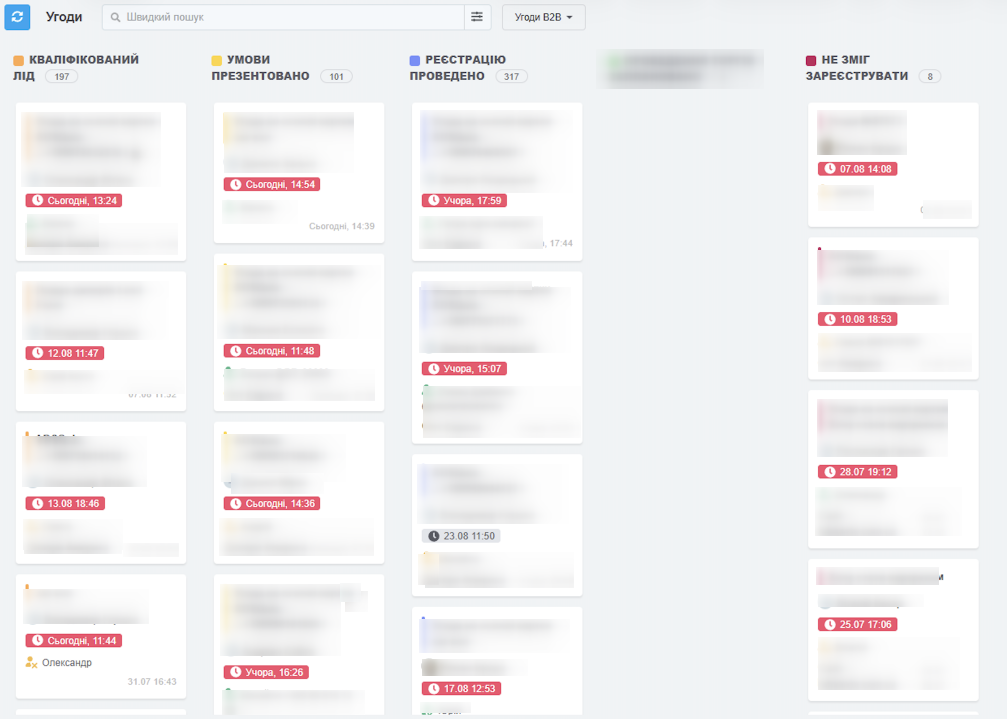
If you open the pipeline in an abandoned CRM, the first impression is usually deceiving. There are lots of deals, the amounts are solid, and the pipeline looks impressive. But on closer inspection, the picture falls apart into dozens of small problems that together add up to complete chaos.
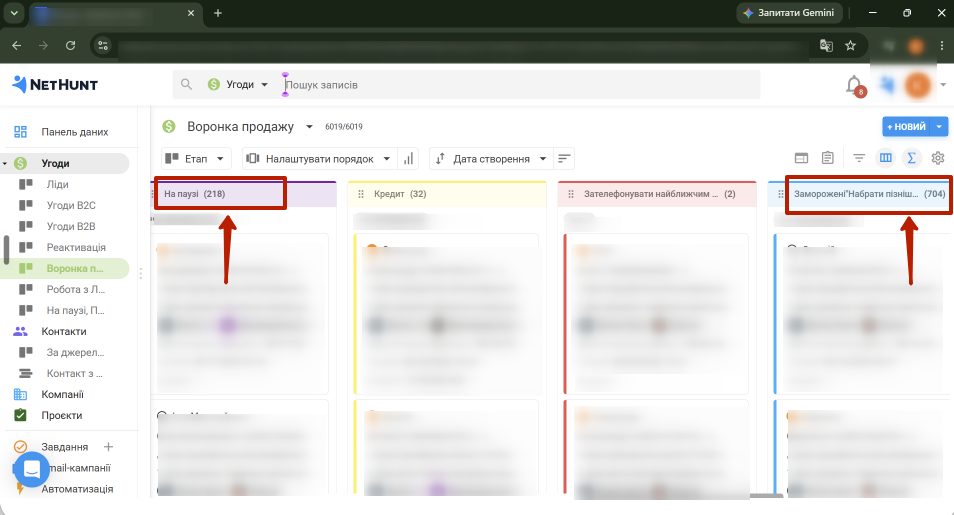
Deals are stuck on old stages that clearly nobody has returned to for months. Some leads don’t have a single task, some deals have no next step, as if the client is supposed to call and remind themselves. Overdue activities have piled up by the dozens, sometimes hundreds. Clients marked “in progress” sit there for three to four months, even though the company’s deal cycle usually takes a few weeks. A separate headache is deals that are effectively closed but nobody moved them into “lost” or “won,” so they keep “living” in the active pipeline.
Add to that duplicate cards for the same client, amounts nobody has updated since the deal was created, old proposals attached a month ago for a different product, and a complete lack of loss reasons. The result is a pipeline that creates the illusion of a huge pipeline. It seems like there’s a pile of promising deals in progress, but in reality some of them have long been dead, some are forgotten, and some exist only because a manager was too lazy to update the status. To show this not abstractly but with numbers, let’s break down a specific example of such a pipeline.
Example of a Pipeline From an Abandoned CRM
Let’s take a snapshot of our hypothetical B2B sales department at the end of the month. Below is what the sales manager sees when opening the pipeline stage report in the CRM.
| Pipeline Stage |
Number of Deals |
Average Time on Stage |
What the Check Reveals |
| New Lead |
34 |
18 days |
21 deals have no task and no first touch |
| Qualification |
27 |
25 days |
9 cards are duplicates of the same client |
| Proposal Sent |
41 |
47 days |
30 deals have no next step and no follow-up date |
| Negotiation |
19 |
63 days |
12 deals have amounts that haven’t changed since creation |
| Closed (Won/Lost) |
6 |
no data |
Only 4 deals were actually paid this month, not 6 |
This table doesn’t directly say that the sales department is performing poorly. It says that the data in the CRM is unreliable, which means any conclusions drawn from it will be wrong. With a pipeline like this, you can’t honestly calculate the real pipeline value, forecast next month’s revenue, or estimate the conversion rate between stages, because it’s unclear which portion of the deals in the table are actually alive. The next step is to draw the right management conclusion from this example.
First Takeaway From the Pipeline: Why You Can't Trust the Numbers
The main takeaway from the example above is simple. The pipeline looks massive, but it’s completely unmanageable. Formally, the system shows 121 active deals, but nobody at the company can say how many of them are actually in progress, how many have long been dead, and how many need an urgent call today.
The problem with an abandoned CRM isn’t that there’s too little data. There can actually be a lot of data: cards, amounts, dates, comments. The problem is that this data is outdated and doesn’t help with decision-making. If a manager can’t confidently answer questions like “what will close this month,” “where are deals stuck,” “which managers aren’t doing follow-ups,” and “why are clients rejecting us,” the CRM stops performing its core function. It turns into an archive of old records instead of a sales management tool.
To understand where this situation comes from, let’s next go through the specific signs that will help you spot an outdated CRM in your own company.
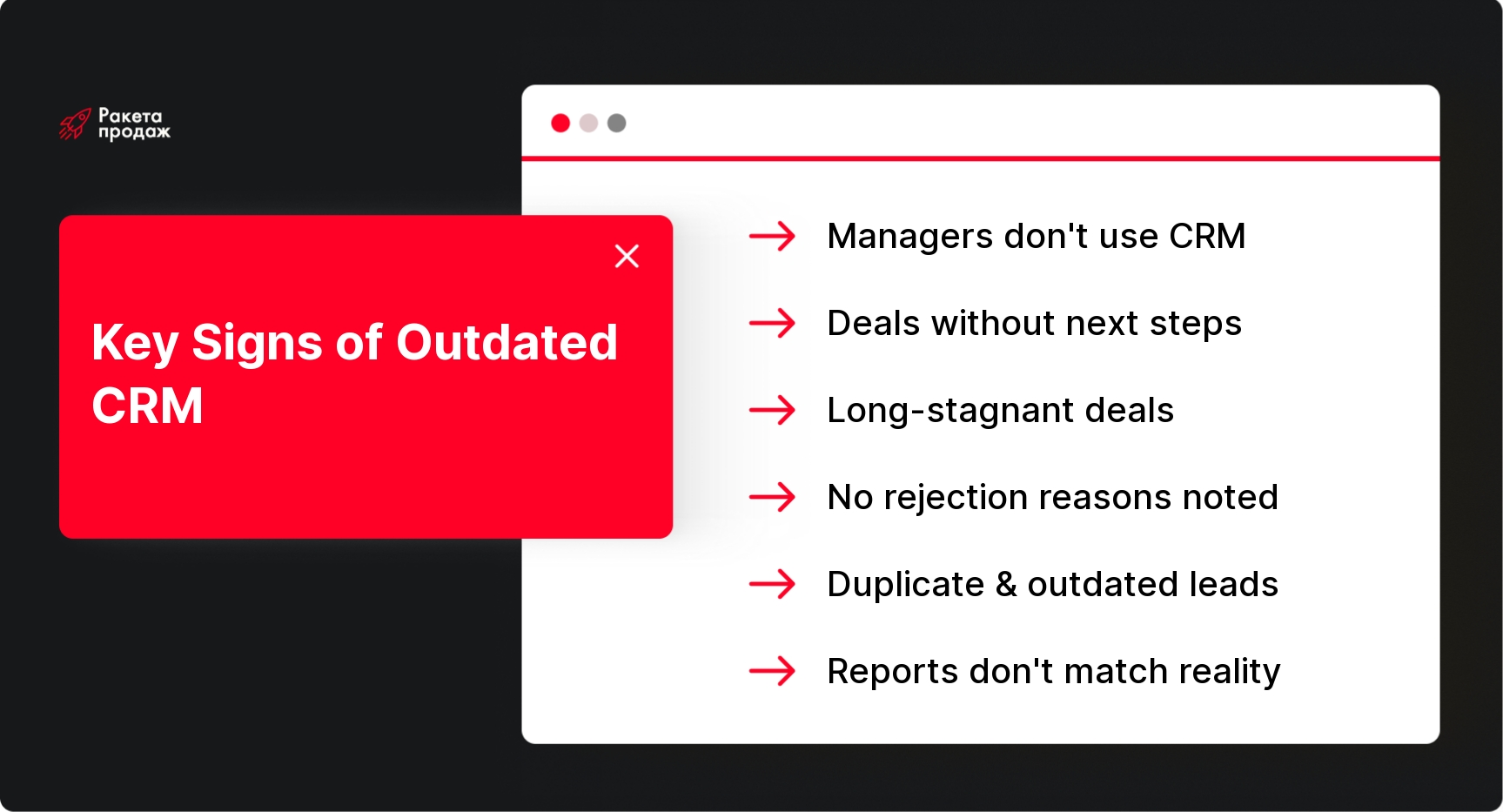
Sign 1: Managers Don't Use the CRM Regularly
The first and most common sign: managers only log into the CRM right before reporting to the sales manager, or when specifically asked to. Meanwhile, the real agreements with clients live in messengers, personal notes, email, or just in someone’s memory, and the information only makes it into the system after the fact, in a condensed form.
This is dangerous for several reasons at once. The manager doesn’t see the team’s real activity and can’t tell apart a manager who works hard from one who just reports nicely. Tasks go uncontrolled because they never get set on time in the first place. If a manager goes on vacation or quits, part of the client agreements gets lost for good, because it never made it into the system to begin with. And the analytics the manager builds on this data turns out to be pure fiction. If managers don’t use the CRM every day and only log in whenever they feel like it, the system very quickly stops reflecting real sales. Next, let’s look at how this shows up in specific deals.
Sign 2: The CRM Has Many Deals With No Next Step
Every active deal should have a clear next step: call, meet, send a proposal, do a follow-up, negotiate terms, send documents, check in again in a week. If you open the CRM and see dozens of deals without a single task or a date for the next action, that’s a direct signal that the pipeline is running on its own, rather than being managed by the team.
Deals like this, with no next step, gradually turn into a graveyard of leads inside the system. Formally, they’re “in progress,” take up a line in the report, and add weight to the pipeline, but the manager hasn’t touched them in a long time and has probably forgotten the client even exists. As a result, the manager sees an inflated pipeline that will never turn into real money, because nobody is keeping an eye on these deals. A similar story happens with pipeline stages where deals simply get stuck.
Sign 3: Deals Sit on the Same Stage for Months
If a deal has been stuck at the “Proposal Sent” or “Negotiation” stage for several months without any movement, sometimes this really is just a long approval cycle on the client’s side. But more often, there’s a completely different story behind it: the manager forgot to follow up, the client said no but nobody recorded it, or the deal simply got lost among dozens of other tasks.
To tell a normal duration apart from a stuck deal, you need to set a reasonable time limit for each pipeline stage, based on the company’s real sales cycle. If a deal exceeds that limit, the CRM should automatically flag the risk, and the sales manager must personally look into the reason rather than relying on the manager to report the problem themselves. Without this kind of rule, stuck deals pile up for months and turn into dead weight inside the pipeline. Next, it’s worth looking at what happens to rejection reasons in a system like this.
Sign 4: Rejection Reasons Aren't Filled In or Are Too Vague
In an abandoned CRM, rejection reasons most often either aren’t filled in at all, or the same vague option gets picked over and over, like “not relevant” or “client changed their mind.” As a result, the manager simply doesn’t understand why the company is losing clients: is it the price, the timing, competitors, an untargeted lead, lack of budget, a weak consultation from the manager, or a poorly made proposal?
Without clear rejection reasons, the business loses the ability to improve anything. Marketing doesn’t know which leads to bring in less of and which to bring in more of. The sales team doesn’t understand where the weak spot is in the script or the offer. The manager can’t tell which managers are worse at handling a specific type of objection. Rejection reasons are, essentially, the only source of data on why the company is missing out on money, and when that source is empty, the company is flying blind. A similar story happens with the client database itself in the CRM.
Sign 5: The CRM Has Duplicates, Old Leads, and a Dead Pipeline
An outdated CRM almost always accumulates client duplicates: the same company ends up in the system several times because a request came through different channels, or a new manager created a card without checking the database first. Add to that old leads with zero history entries, deals with amounts that no longer reflect reality, and contacts who haven’t replied in six months.
All of this distorts reports in several ways at once. The number of leads looks inflated because some of them are duplicates of the same client. Managers don’t see the full communication history because it’s scattered across several cards. Duplicates cause conflicts between managers over the same client, and lead-source analytics becomes unreliable because it’s unclear which card is the original. A similar kind of confusion shows up in reporting overall, when CRM data doesn’t match actual sales.
Sign 6: CRM Reports Don't Match Reality
A classic situation: the CRM shows one plan-vs-actual figure for sales, the sales manager’s personal spreadsheet shows another, accounting has a third figure for actual payments, and the managers at the team meeting talk about their results “by feel,” which don’t match any of the three versions.
If a manager doesn’t trust the CRM and keeps collecting manual reports on each rep in parallel, that’s a sure sign the system has stopped being a single source of truth for the company. In this situation, the problem won’t be solved by a new report format or an extra Excel spreadsheet. You need to go back to the rules for working with data and rebuild trust in the system from scratch. But before fixing it, it’s worth understanding why the team stopped using the CRM in the first place.
Why Managers Don't Use the CRM
Team resistance is almost never about laziness or spite, even though managers sometimes want to believe that. Much more often, the issue is that the system itself, or the process around it, is set up inconveniently, and filling in the CRM turns into an extra chore with no clear benefit for the manager themselves. According to analysts, the vast majority of CRM project failures come down to people and processes, not the platform itself.
If you look at the real reasons, the picture usually comes together from several factors at once, rather than one main problem. Here’s what most often keeps managers from using the CRM regularly.
- The CRM is inconvenient and requires extra clicks for simple actions.
- There are too many mandatory fields, some of which don’t make sense for a specific deal.
- Pipeline stages don’t reflect the company’s real sales process.
- Managers don’t see any personal benefit from the system, only extra workload.
- The manager mainly uses the CRM to punish people, not to help them.
- There’s no regular oversight from the sales manager over how well cards are filled in.
- The team has no unified, clear sales department regulations for managing deals.
- Data has to be manually duplicated in separate spreadsheets.
- The CRM isn’t connected to telephony, email, and messengers, so everything has to be transferred by hand – this is solved by proper CRM and telephony implementation.
- The system has no automatic tasks or reminders for the next step.
- Managers were never properly trained on the system when it was rolled out, and the team never went through quality CRM training.
- The manager themselves doesn’t use the CRM for management and doesn’t set an example for the team.
Once it’s clear where the resistance comes from, you can move on to diagnosing the specific system at your own company.
How to Audit an Abandoned CRM
An abandoned CRM analysis doesn’t require fancy tools, but it does require honesty and a willingness to go through deals manually, not just look at summary reports. The goal of the audit is to answer the main question: does the CRM reflect the sales department’s real work, or does it just create the illusion of control? It’s often worth running this kind of diagnostic alongside a broader sales department audit, to see not just the state of the system but also the processes around it.
It’s best to start with the big picture and then drill down to the level of individual deals and cards. Below is a sequence of steps that works for most sales departments, regardless of industry.
- Check the total number of active deals and compare it against the team’s sense of the real workload.
- Find all deals with no next step and no task.
- Pull a list of overdue tasks and see how many have piled up.
- Check deals that have been on the same stage longer than normal.
- Find duplicate clients and contacts in the database.
- Compare CRM data with actual payments from accounting or the bank.
- Check how well the mandatory fields are filled in for each active deal.
- Look at what rejection reasons are listed and how meaningful they actually are.
- Evaluate how fast new leads are processed, from the moment of the request to first contact.
- Analyze each manager’s activity in the system over the past month.
- Compare CRM reports with the manual spreadsheets and reports the sales manager puts together.
- Pick 20-30 random deals and check them manually, cross-referencing with the real correspondence.
- Assess which pipeline stages don’t correspond to the real sales process at all.
After going through this, it usually becomes clear which part of the database can be saved and which has to be written off. The next step is deciding what to do with the deals the audit flagged as outdated.
What to Do With Outdated Deals
The first thing you’ll want to do after an audit is just delete all the junk from the CRM in one go. That’s a mistake: some deals carry useful history, some can be brought back into play, and some don’t need to be deleted but rather need an honest final outcome recorded.
The right approach is to go through every outdated deal and sort it into one of a few clear scenarios, instead of wiping everything out. Here are the main options that cover almost every case.
- Close the deal as lost, with the real reason recorded.
- Move the client to a “deferred demand” status if there’s interest but not right now.
- Set a task for a follow-up touch after a set period.
- Merge a duplicate card into the main one, keeping the entire correspondence history.
- Update the deal amount and the actual stage it’s really at.
- Reassign the deal to another manager if the current owner hasn’t responded to the client in a long time.
- Move the lead back to qualification if it’s unclear whether it’s a good-fit lead or not.
- Delete only technical duplicates and clearly worthless junk records.
The goal of this stage isn’t to make the CRM look pretty for a report to the owner. The goal is to restore a manageable pipeline and a reliable history of work with each client. Once the database has been sorted out, you can move on to what the system should look like after it’s restored.
What a Working CRM Should Look Like After Restoration
After cleaning up, the CRM should look modest but honest: only current deals, clear stages, clearly assigned owners, and a next step for every active deal. Rejection reasons are filled in meaningfully, the database is clean, there are no duplicates, and virtually no overdue tasks remain.
The main sign of a restored system is that the pipeline reflects a real pipeline value, not a pile of random cards. CRM reports match actual sales and accounting data, and the sales manager runs meetings based on data from the system, not verbal recaps from managers. It’s important to understand that a good CRM doesn’t have to be complex or packed with fields. It should be simple enough for managers to actually use it every day, and precise enough for the manager to make decisions based on numbers, not guesswork. To hold onto this state long-term, you need clear rules for working with the system.
What CRM Discipline Rules Need to Be Implemented
CRM discipline rules only work when there are few of them and the team genuinely understands them. If there are too many rules, or they contradict the logic of sales, managers will start avoiding the system again, just like they did once before.
Experience from restored sales departments shows that it’s enough to set a small number of simple requirements, regularly carry out control and hygiene of the department’s CRM, and monitor whether they’re followed.
- Every lead, without exception, is created in the CRM the moment they reach out.
- Every deal has one clear, designated owner.
- Every active deal has a next step with a date.
- The deal stage only changes based on a clear, pre-defined criterion.
- A rejection reason is mandatory and is chosen from a meaningful list.
- The deal amount and expected close date are updated as things actually happen, not just once at creation.
- Important agreements with the client are logged in comments right after the conversation.
- Calls, emails, and messenger correspondence must all end up in the card’s history.
- Client duplicates are merged as soon as they’re found, not put off for later.
- Stalled deals are regularly reviewed at team meetings, not left to pile up for months.
- All reporting is built solely from CRM data, with no parallel manual spreadsheets.
These rules won’t save the CRM on their own if the manager doesn’t reinforce them by personal example. But this is exactly where the difference begins between a system people log into just for show, and a system that actually drives sales management.
Restoring an abandoned CRM isn’t just a one-time database cleanup – it’s systematic work with processes, the team, and data management rules. By applying the principles described in this article, you can improve the state of your system, but for a guaranteed result, you need a professional approach to diagnosing and implementing CRM discipline. “Sales Rocket” builds turnkey sales departments: we don’t just clean up databases, we completely rebuild CRM workflows, implement automations, train the team, and ensure ongoing control over data quality. Our methodology includes a detailed audit of the current system, developing regulations tailored to your specific sales process, and setting up pipelines and KPI dashboards for management. Over 8+ years, we’ve built 208 sales departments across 14+ different industries, including Mitsubishi, Yamaha, and Naftogaz. As a result of working with us, clients get CRM systems they can actually trust: predictable sales, up-to-date analytics, and a team that uses the system without being forced to.
Build a CRM that actually manages sales, instead of just creating the illusion of control!
An abandoned CRM is dangerous not because it has too little data, but because it creates the illusion of control where there hasn’t been any real control for a long time. Deals formally exist, stages are filled in, reports seem to be getting compiled, but you can’t trust those numbers. If managers don’t use the CRM regularly, the reason should be sought not just in team discipline, but also in how the system itself is set up, how convenient the processes are, and whether managers see any real benefit from working in it. Sorting out and cleaning the CRM once isn’t enough – the system needs to be brought back into daily sales management so it becomes a source of truth again, rather than an archive of old records.


 Time to read: 9 min.
 28 August 2026