Key Takeaways
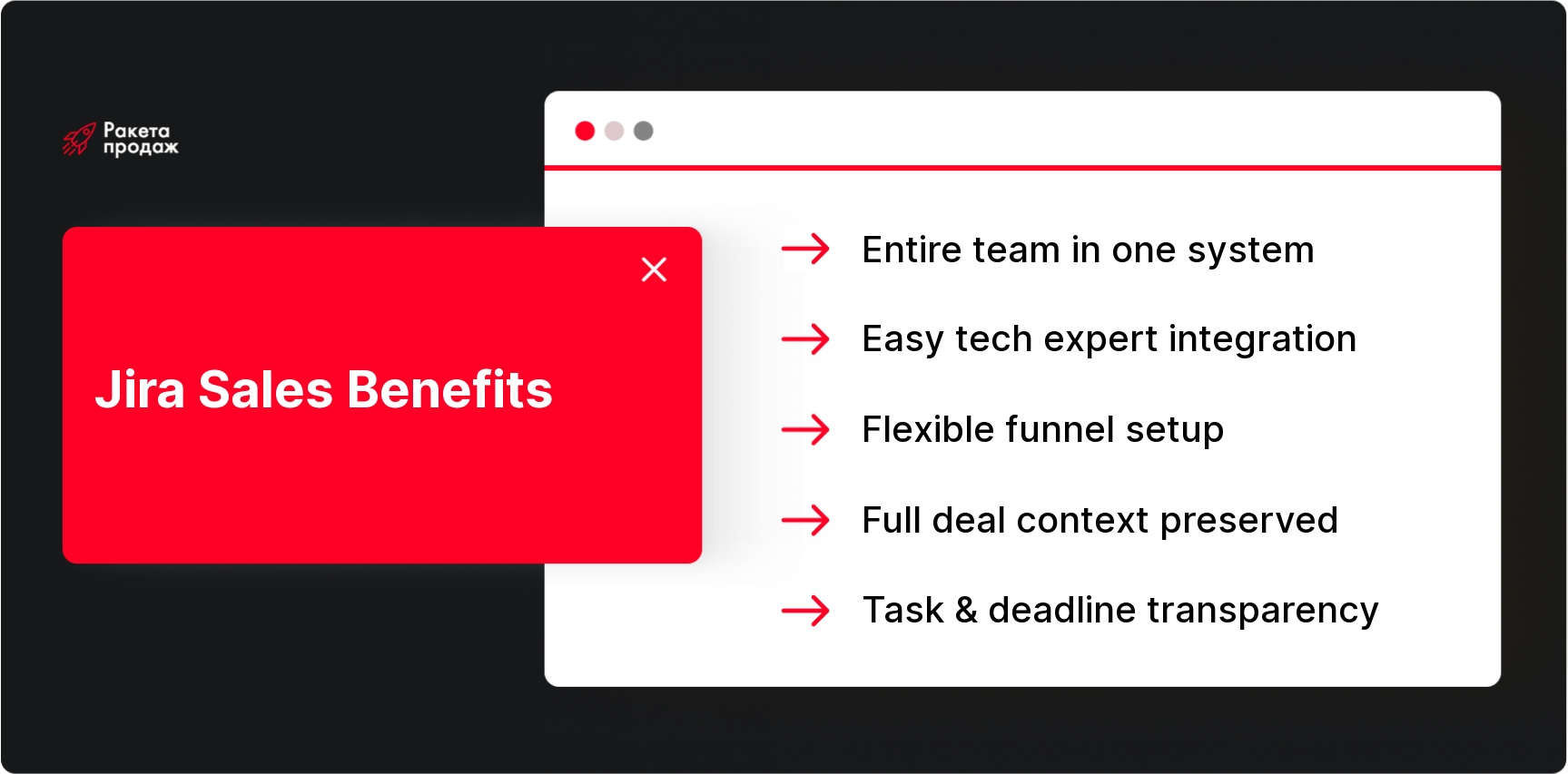
- IT companies often conduct sales with Jira not by strategy, but because the entire team already lives in this system and doesn’t want to switch between tools.
- Jira for Sales is convenient when a deal requires technical evaluation from an architect or developer. Sales creates a task, gets comments and feedback in one place, without losing context.
- Jira’s flexibility allows you to set up any non-standard funnel for complex presale, including evaluation stages, scope approval and delivery handoff.
- A lead in Jira smoothly transforms into project tasks, the team sees the full deal context and doesn’t waste time on questions like “why did we decide to do it this way”.
- Jira doesn’t replace a full-fledged CRM if you need a customer database, marketing analytics, email campaigns or revenue forecasts by channels.
In the article below you’ll see when Sales with Jira works, where it falls short, and how to properly set up the process to avoid chaos in tasks 👇
Many IT companies use Sales with Jira not only for development and bugs, but also for managing leads, presale, deals and all communication between sales, project management and delivery teams. This isn’t always a conscious CRM choice – often it’s a natural extension of the already existing work environment. If the team already lives in Jira, it’s easier to add sales there than implement a separate CRM and force everyone to switch between systems.
The goal of this article is to understand why sales via Jira has become a widespread practice in IT, what tasks it solves and where this approach has limitations.
Why IT Companies Use Jira for More Than Just Development
Jira often becomes the central work management system in an IT company. It already contains developer tasks, bugs, sprints, project statuses, internal processes and all communication between teams. When a tool is so deeply integrated into daily work, it starts attracting other business processes – this is quite logical.
Do you recognize this feeling when an IT company’s sales department lives somewhere between Jira and chaotic Slack conversations, and there’s simply no clear picture of the sales funnel? Many IT companies face the fact that they have excellent technical expertise, but systematic sales are stuck due to lack of clear processes and properly configured tools. At “Rocket Sales” over 8+ years of work, we’ve helped 208 companies create systematic sales departments, including IT companies like Leeloo.ai. We understand IT sales specifics: long cycles, technical evaluation, presale processes and tight integration between sales and delivery teams. Our experts conduct comprehensive analysis of your current sales system – from CRM and automation to communication scripts and team KPIs – and build processes that actually work for IT business. The result? Our clients’ average revenue growth is +35%, and conversions grow from 5% to 86%.
Turn chaos into systematic sales - get a comprehensive efficiency audit of your IT sales department!
Therefore, when the task appears to systematize leads, client requests or presale, the business might decide not to implement a separate CRM, but to adapt an already familiar tool. Why create extra systems if you can expand the functionality of what already works? Jira for Sales is convenient where sales are closely linked to technical expertise, task evaluation, custom development and project management. In such cases, it becomes not just a task tracker, but a unified platform for the entire customer journey. Many organizations find that Sales tracking in Jira provides the visibility they need across technical and commercial activities.
By the way, if you’re considering alternative scenarios and want to know how CRM implementation goes, pay attention to this experience: a separate CRM integrates with telephony and email platforms, which suits more traditional sales departments.
How Sales with Jira Usually Look
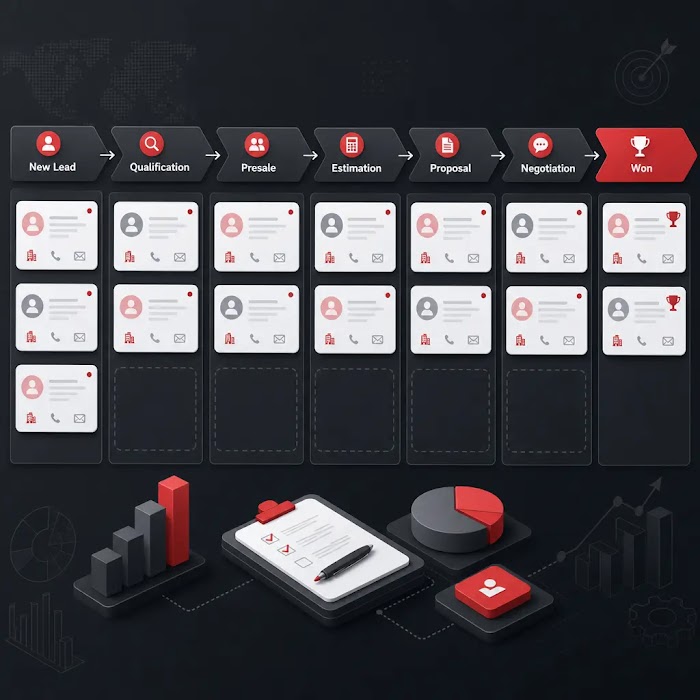
The mechanics are quite simple. In Jira, they create a separate project or board for sales, where each lead, request or potential deal is formatted as a task. For tasks, they set up statuses: new lead, qualification, presale, evaluation, commercial proposal, negotiations, won, lost. Basically, like a regular funnel, only in Jira task format.
All necessary data is added to the card: client information, lead source, need description, document links, team evaluation, comments, deadlines and responsible parties. Essentially, Sales Management in Jira happens like a custom sales funnel, although the system isn’t originally a classic CRM.
The most interesting part begins when the deal moves forward. A lead can smoothly transform into project tasks, technical requirements become an epic, and the development team immediately sees the context – what the client wants and what project expectations are. No information loss when transferring between departments.
For additional process optimization and result control, it’s worth thinking about key performance indicators for sales departments, which can be tracked even when working with individual funnels in Jira.
5 Reasons Why Companies Conduct Sales via Jira
Reason 1. The Entire Team Already Works in Jira
This is the main reason. Jira is already built into the IT company’s daily work. Developers, project managers, product managers, QA and delivery teams know the interface, understand statuses, can work with tasks, comments and notifications. They don’t need explanations of how the system works – they live in it every day.
It’s easier for the sales team to transfer requests to the same system where project evaluation and implementation will happen next. When a manager creates a task for technical evaluation or asks an architect to look at a lead, they don’t go to an unfamiliar CRM, but work in familiar Jira. This reduces team resistance: no need to force developers to enter a separate CRM for lead evaluation or project comments.
The result – everyone in one ecosystem, everyone understands processes, and nobody gets lost between different systems.
The effectiveness of this approach directly depends on how well the company can manage the sales department in cross-functional process conditions.
Reason 2. IT Sales Often Require Technical Team Participation
In IT sales, a manager rarely sells completely independently. Client wants custom development? Technical evaluation is needed. Asking about integration with legacy systems? Architect consultation is required. Wants to understand if it’s realistic to implement their idea in a month? Can’t do without developer participation.
Sales tracking in Jira is convenient because sales can create a task, pose questions to the technical team, assign responsible parties, get evaluations, comments and timelines – all in one place. No need to run around Slack, write emails or arrange meetings for every lead. Everything is structured, everything is recorded, everything is transparent.
When a technical lead or CTO leaves a comment in the task that the project will take three months and require a team of five people, the sales manager sees this immediately and can adjust the proposal. For complex B2B IT service sales, Jira for Sales helps connect sales and delivery teams in one process.
This is especially important in Ukrainian IT companies, where presale is often done by the same people who then implement the projects.
Reason 3. Jira is Convenient to Adapt to Non-Standard Funnels
IT companies often have non-standard sales processes. Forget about the simple scheme “lead → demo → proposal → contract”. A real deal might go through stages: initial contact, discovery call, technical brief, project evaluation, proposal preparation, scope approval, negotiations, contract, development start. And sometimes even more complex.
Jira allows configuring statuses, task types, fields, workflows, automations and boards for specific processes. Need an additional “Waiting for client corrections” stage? We add it. Need to separate leads into “New business” and “Existing expansion”? We configure task types. Want the lead architect to be automatically assigned when transitioning to “Technical evaluation” status? We write a workflow rule.
If you’re planning how to implement a CRM system for automation or stage recording, it’s useful to evaluate the pros and cons of custom Jira setup against ready-made solutions.
Jira’s flexibility is exactly what makes it attractive for companies that don’t fit simple linear CRM funnels.
Reason 4. Jira Helps Connect Presale, Evaluation and Project Launch
In IT sales, after first client contact begins not just “sales”, but preparation for a possible project. Need to evaluate scope, risks, timelines, team, budget and technical constraints. This isn’t classic sales, it’s more like project planning.
Jira helps preserve this logic: a lead can gradually transform into a presale task, then into project backlog or a set of delivery tasks. All information collected during the sales stage – client requirements, technical details, constraints, preferences – remains in the system and transitions into project tasks.
The development team sees full context: why this particular technical solution was adopted, what alternatives existed, what’s important for the client, what to pay attention to during implementation. For IT companies this is convenient: context isn’t lost between sale and project start. Nobody wonders: “Why did we decide to do it this way?” – all answers are in the tasks.
Reason 5. Jira Provides Transparency on Tasks and Responsible Parties
In Jira, it’s clearly visible who’s responsible for the lead, who should provide evaluation, what questions are open, what deadlines are overdue, what comments were left. This is especially important for IT sales, where deals often get stuck not because of the client, but due to internal delays.
A sales manager immediately sees if the technical team didn’t provide evaluation, project manager didn’t prepare proposal, or architect didn’t approve technical details. All delays become transparent, and you can quickly understand exactly where the process got stuck.
Jira helps make these delays visible and manageable. Instead of Slack questions “Where’s our evaluation?” there’s a clear task with responsible party and deadline.
An undoubted advantage would be sales reporting automation, which can be implemented through third-party tools in conjunction with Jira or partially through plugins.
What Sales Data IT Companies Usually Maintain in Jira
In Jira sales tasks, they usually record: client name, contact person, lead source, request description, estimated budget, desired timelines, current deal status, responsible sales manager, presale responsible. Also technical team evaluation, negotiation comments, links to brief, proposal, contract and related team tasks.
Many add custom fields for their needs: project type (web, mobile, integration), client team size, technology stack, urgency, closing probability. All this information is structurally stored in the task and accessible to all process participants.
Important limitation: Jira can store this data, but doesn’t always work conveniently with customer database, communication history, email chains, telephony and marketing sources like specialized CRM does. If you need detailed channel analytics or automated email sequences, Jira might be insufficient.
Pros of Sales Management in Jira
The advantages are obvious: the entire team works in one system, easy to connect developers and PM to presale, can flexibly configure any workflow for business specifics. Tasks and responsible parties are clearly visible, convenient to control evaluation timelines, easier to transfer context from sales to delivery.
Another plus – you can connect leads with future project tasks. When a deal closes, it naturally transforms into project epic or set of development tasks. All process participants understand where requirements came from and why certain technical decisions were made.
For IT companies, this gives serious advantage in resource planning and project management. Instead of starting each project from scratch, the team already has full context and can immediately proceed to implementation.
Cons of Jira as a Sales Tool
Jira isn’t a full-fledged CRM out of the box, and this needs to be understood. It might be inconvenient for maintaining customer database, contact history, email chains, calls, mass commercial mailings, repeat touchpoints and detailed lead source analytics.
Jira might seem overloaded and too technical for sales managers. If the process is poorly configured, sales turn into a chaotic set of tasks without proper funnel analytics. There might also be problems with revenue forecast reports, stage conversion and marketing channel ROI.
Main point: Jira can be useful for presale and managing tasks around deals, but doesn’t always replace a full-fledged CRM. Especially if you need complex marketing automation, lead scoring or integration with advertising platforms.
When Jira Works for Sales Department
Jira for the Sales Department is justified when an IT company sells custom development and the deal needs technical evaluation. When sales works closely with PM and developers, the sales process resembles project workflow, and the team already actively uses Jira for other tasks.
Jira for Sales also fits when it’s important to control internal tasks around deals: technical evaluation, documentation preparation, presale consultations, scope approval with the team. If your sales process resembles project management more than classic sales, Jira will be a natural choice.
This is especially relevant for Ukrainian IT companies working in B2B segment with custom projects and long sales cycles.
When Not to Use Jira as Main CRM
If it’s important for the company to work deeply with customer database, marketing sources, automatic email campaigns, complex segmentation and detailed revenue forecasting, better use a full-fledged CRM. Jira might be inconvenient for large sales departments with many leads and quick deals.
When you need end-to-end advertising channel analytics, automated lead nurturing or integration with marketing automation platforms, Jira shows its limitations. It’s better suited for process and task management than for complex sales and marketing funnels.
Important to understand: Jira can be part of the sales process, but shouldn’t always be its only tool.
How to Properly Organize Sales via Jira if Company Still Chooses This Path
First create a separate sales project or board to not interfere with main development. Set up clear deal statuses that reflect the real process: from first contact to closing and delivery handoff. Add custom fields for client, source, budget, timelines and responsible parties – the more structured the data, the easier to work with it later.
Important to separate leads, presale tasks and delivery tasks by types or projects. Assign clear transition rules between statuses: who can move a lead to “Technical evaluation”, who’s responsible for proposal preparation, who makes the decision about deal closure.
Set up notifications and deadlines so the process doesn’t get stuck at individual stages. Determine who’s responsible for updating task data – sales manager, presale specialist or team lead. Regularly export or build funnel reports to see the overall sales picture.
Without clear rules, Jira quickly turns into a chaotic task list where nobody understands current deal status and what to do next.
Common Mistakes When Managing Sales via Jira
Main mistakes: creating tasks without unified structure, not recording lead source, not indicating next step, not separating sales and delivery tasks. Also not updating statuses on time, not counting stage conversion, not seeing sales forecast for open deals.
Another common mistake – not assigning clear responsible parties for presale activities. Lead hangs in “Technical evaluation” status, but nobody understands who exactly should provide it and by what deadline. Or using Jira instead of CRM without understanding limitations – trying to do email marketing and complex analytics in it.
Main thing to understand: just using Jira doesn’t make sales systematic. Need thoughtful processes, clear roles and regular data updates.
Choosing correctly between Jira and full-fledged CRM is only the first step to systematic sales in an IT company. But real results come not from the tool itself, but from properly built processes, clear team roles, correct automation and efficiency control system. “Rocket Sales” specializes in comprehensive sales department building for IT companies: we don’t just select CRM, but create a complete system from lead attraction to project delivery handoff. Our experts know IT sales specifics – long cycles, technical evaluation, presale and integration with development team. We implement CRM systems, set up automation, create communication scripts, train teams and ensure constant result control through personalized KPIs and dashboards. As cooperation results, our clients get predictable sales, transparent processes and teams that consistently generate results. Among our partners are companies like Mitsubishi, Yamaha and Ukrainian Naftogaz. Don’t spend months experimenting with tools – get a systematic solution from experts.
Create an IT sales department that turns technical expertise into stable revenue!
Create an IT sales department that turns technical expertise into stable revenue!
IT companies often use sales via Jira because it’s already built into the team’s work, allows easy connection of technical specialists to presale, helps manage tasks around deals and preserves context between sale and project. For companies with custom development and project approach, this is a logical solution.
But it’s important to remember: Jira is convenient for managing tasks and processes around deals, but doesn’t always replace a full-fledged CRM. If you need customer database, marketing analytics, automatic communications and detailed revenue forecast, better use CRM or CRM + Jira combination, where each system does what it does best.


 Time to read: 9 min.
 10 June 2026