icon

Sales Reporting Automation: Where to Start and How to Scale

In today’s business world, manual sales report creation has evolved from a mere inconvenience into a genuine threat to business efficiency. Picture this: it’s the end of the workday, and your managers are filling out spreadsheets instead of working with clients, struggling to gather data from different sources. The numbers don’t add up, management doesn’t trust the reports, and decisions are made based on intuition rather than actual data. Sounds familiar?

Key Takeaways

  • Managers spend up to 30% of their time on reports instead of calling customers, while manual data entry generates errors that break forecasts and purchase plans.
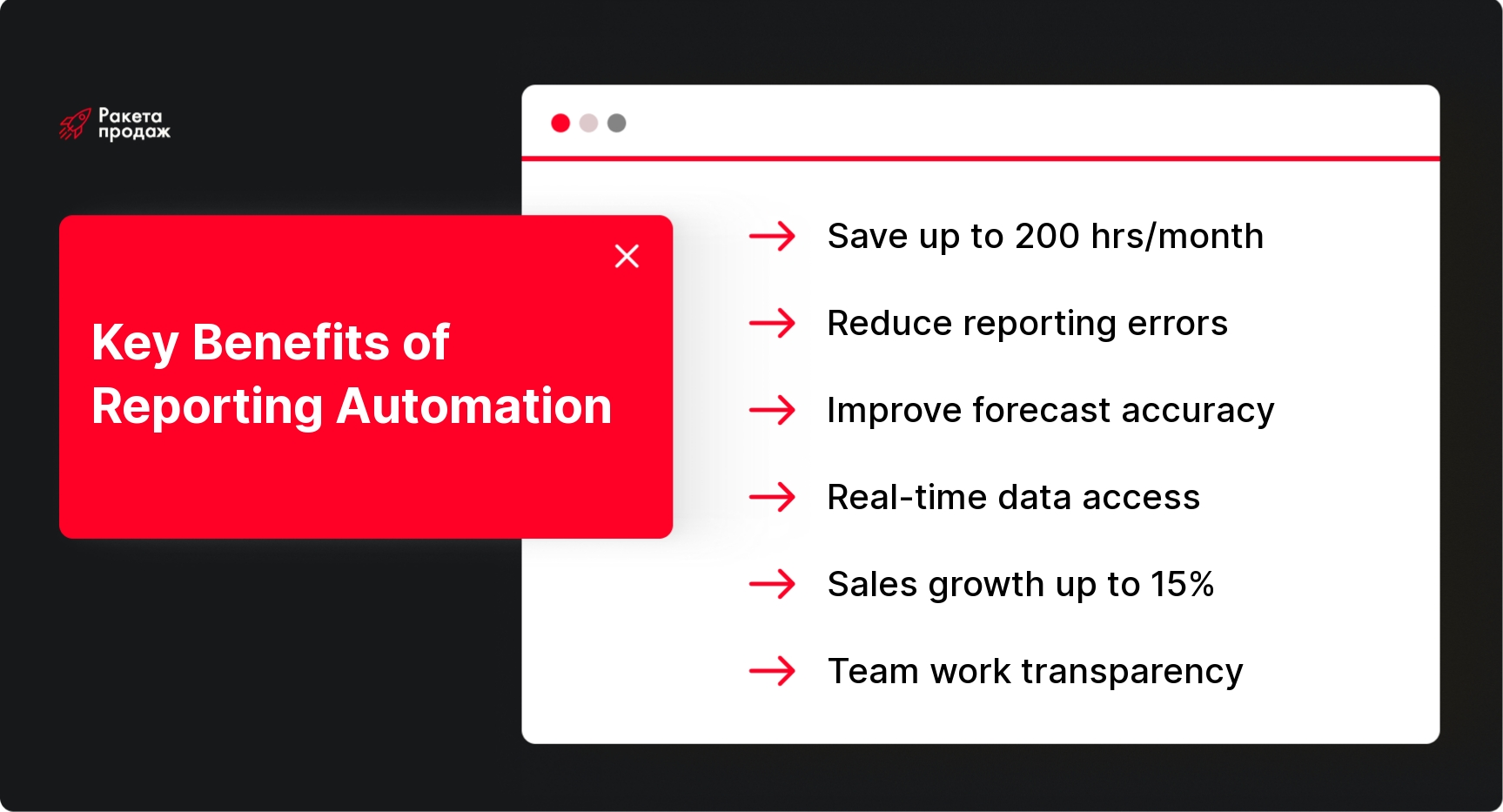
  • Automation pays for itself within 6-12 months and brings 3-5 dollars for every dollar invested, freeing up to 200 hours of team work time monthly.
  • Start with reports on manager activity and plan fulfillment – they deliver quick results and lay the foundation for deeper analytics.
  • Attempting to automate chaos without process auditing, weak system integration, and lack of team training kill projects more often than technical challenges.
  • Reporting systems become outdated without regular audits – collect feedback quarterly and adjust reports to business changes.

In the article below, you’ll find a step-by-step automation launch algorithm, criteria for selecting tools, and specific signals to watch for during implementation 👇

Sales reporting automation is not a luxury or a trend, but a necessary tool for companies striving to remain competitive. Reports automation not only eliminates hours of manual work but also provides access to deeper analytics, enables decision-making based on current data, and significantly reduces errors.

In this article, we’ll look at which reports are best to start with for automated reporting generation, how to choose the right solution, what pitfalls you might encounter, and how to avoid common mistakes. Whether you’re managing a small startup or a large company, you’ll find practical advice to transform reporting from a headache into a powerful business development tool. Let’s start by analyzing the problems created by manual reporting.

Main Problems with Manual Sales Reporting

Manual report preparation takes an enormous amount of time and resources that could be directed to more important tasks. Managers spend hours collecting and structuring data from various sources: Excel spreadsheets, CRM systems, email, messaging apps. According to various studies, sales department employees spend up to 30% of their working time on administrative tasks, including report preparation. This is time they could be using to work with clients and close deals.

Moreover, manual data entry inevitably leads to errors. Even the most attentive employee can make a typo in figures, incorrectly copy data, or forget to update certain indicators. Such errors can have serious consequences: incorrect management decisions, flawed sales forecasts, improper resource planning. Imagine that due to an error in a report, the company ordered insufficient quantities of a product that turned out to be a bestseller – the lost profit could amount to significant sums.

The lack of unified standards also creates significant difficulties. Different departments or branches of a company may use different report formats and methods for calculating indicators, making data comparison nearly impossible. One manager might consider a deal closed after signing the contract, another only after receiving payment. As a result, management receives contradictory data and cannot form an objective picture of the sales status.

Delays in receiving information are another serious problem with manual reporting. It can take several days or even weeks to collect and analyze sales data for a month. During this time, the situation may change significantly, and decisions will be based on outdated information. In rapidly changing market conditions, this can lead to missed opportunities or incorrect responses to problems.

Business scaling becomes a real challenge with manual reporting. If the process is somehow manageable with five sales managers, it becomes practically unmanageable when the team expands to 15-20 people. The amount of data grows exponentially, as does the time needed to process it. A business that cannot effectively scale its processes will inevitably face growth limitations.

Analysis of manual reports is often limited to basic indicators due to the complexity of processing large volumes of data. Without automation, it’s practically impossible to conduct deep analytics, identify hidden trends, segment customers, or forecast future sales based on historical data. Yet it’s in this analytics that the key to increasing sales efficiency and business growth often lies. Now, let’s consider what reporting automation is and what tasks it helps solve.

What is Reporting Automation and Why Sales Departments Need It

Sales reporting automation is the implementation of specialized tools and systems that collect, process, and present sales data in a structured format without manual intervention or with minimal human involvement. Unlike simply using Excel, where data still needs to be entered manually, true reports automation involves integration with data sources and automatic report generation based on them.

Modern reporting automation systems go far beyond spreadsheets. They provide not only data collection and display but also analytical processing, visualization in the form of informative graphs and charts, as well as the ability to drill down to the level of individual transactions or customers. Additionally, they allow you to set up notifications and triggers to instantly react to changes in key indicators.

For sales departments, management reporting automation solves several critical tasks. First of all, it provides complete transparency of the sales process. A manager can see at any moment what stage each deal is at, what the workload of managers is, which customers require special attention. This allows for timely intervention in problematic situations and prevention of potential sales losses.

KPI monitoring becomes much more effective with automated reporting. The system not only shows the current level of goal achievement but also allows for detailed analysis of factors affecting the results. For example, if a manager is not meeting the plan, the leader can see at which stage of the sales funnel the problem occurs: insufficient calls, low conversion of initial meetings, or difficulties closing deals.

To properly evaluate work dynamics and quality of goal achievement, it’s important to pay attention to the main department efficiency indicators – learn more about this in the article about sales department metrics.

Reports that are typically automated first include:

  1. Sales funnel report, showing conversion at each stage and identifying bottlenecks in the process
  2. “Plan vs. actual” report on fulfillment of individual and team sales plans
  3. Conversion report, demonstrating the effectiveness of working with leads from different sources
  4. Revenue report with details by products, customers, managers, and sales channels
  5. Manager activity report (calls, meetings, commercial proposals)

Financial reporting automation accelerates decision-making, as managers receive current data without delay. If a traditional report for the previous month might take a week to prepare, an automated report is available immediately at the beginning of the new month or even in real-time. This is especially important in rapidly changing conditions, where the speed of reaction can determine a company’s competitive advantage.

For the sales team, automation means a significant reduction in routine work and the ability to focus on customer interaction. Instead of compiling reports, managers can spend more time on calls, meetings, and closing deals. And the more productive time managers have, the higher their effectiveness and motivation. Let’s look in more detail at the benefits that sales reporting automation provides.

Wondering how much time and resources your managers spend on reporting instead of working with clients? According to statistics, sales department employees spend up to 30% of their working time on administrative tasks, including reporting. Sound familiar? Sales Rocket offers a comprehensive reporting automation solution as part of our Sales Department Systematization (SDS) service. We don’t just implement automation tools – we create a personalized system of regular automatic reports and dashboards, adapted to your business specifics. Our clients get complete transparency of manager performance, analytics across funnel stages, call control, and communication effectiveness. Reporting automation isn’t just about saving time – it’s a real sales growth driver: on average, our clients record a 35% increase in turnover, and in some cases – up to 86% conversion growth.

Transform reporting from a headache into a sales growth tool - order a free sales department audit right now!

Benefits of Sales Reporting Automation

Sales reporting automation brings companies many tangible benefits that directly impact work efficiency and financial results. One of the key advantages is a dramatic reduction in report preparation time. What previously took days or even weeks can now be obtained in minutes or seconds. For example, McKinsey consulting company notes that automation of routine processes in sales can free up to 30% of employees’ time, which they can direct to more productive tasks.

This time gain has a direct financial expression. Suppose your sales department consists of 10 managers with an average salary of $3,000 per month. If each of them spends 5 hours a week on report preparation (which is a very conservative estimate), then with sales reporting automation you will save approximately 200 hours of working time per month, which in monetary terms amounts to about $3,000-4,000. And this is only the direct savings, without accounting for additional sales that managers can make using the freed-up time.

Additionally, automated reporting generation significantly increases the accuracy and reliability of data. The human factor is eliminated from the process, which minimizes the risk of errors in data entry and processing. The system automatically collects data from primary sources (CRM, ERP, telephony systems, email), processes them according to set algorithms, and presents them in a structured format. This eliminates the possibility of “embellishing” results, when a manager consciously or unconsciously overstates their indicators.

Real-time data availability is another significant advantage. A manager no longer needs to wait until the end of the month or week to see the team’s results. They can get up-to-date information about the state of sales, plan fulfillment, and manager activity at any moment. This allows for timely responses to emerging problems and strategy adjustments without waiting for the situation to become critical.

Automated sales reports also significantly increase the transparency and manageability of sales. When all data is collected in a unified system and presented in a visual way, a manager can easily track the effectiveness of various sales channels, compare the performance of managers, and identify the most promising customer segments. This creates a foundation for making informed decisions about resource allocation and focusing efforts.

An important aspect is the impact of automation on the productivity of the sales team. Studies show that companies that have implemented automated reporting systems note an increase in sales department efficiency by 10-15%. This is explained not only by time savings but also by improved work quality thanks to a clearer understanding of goals and current results, as well as the ability to focus on the most promising directions.

Automation significantly improves the accuracy of sales forecasting. Systems are able to analyze historical data, identify seasonal trends, account for the influence of various factors (marketing campaigns, price changes, competitor activity), and based on this, form more accurate forecasts. This is critically important for planning production, purchases, financial flows, and other aspects of business.

The implementation of reporting automation allows companies to quickly respond to sales trends and flexibly adjust their strategies using current analytics and forecasts.

ROI (return on investment) calculations for automation system implementation show that most projects pay for themselves within 6-12 months. The average ROI is 3-5 dollars for every dollar invested over three years of system use. The payback is higher the greater the scale of implementation and the more comprehensive the approach used. Let’s look at what types of reporting are most expedient to automate.

What Types of Sales Reporting Can and Should Be Automated

image

There are many types of reports in the sales department that are ideal for automation. First of all, attention should be paid to daily operational reports that require regular updates and take a lot of time when compiled manually. These include reports on manager activity – the number of calls made, proposals sent, meetings held. Sales department reporting optimization through integration with telephony, CRM, and calendars allows the manager to see an objective picture of team activity without having to request this information from employees.

Reports on conversion at different stages of the sales funnel are also critical for analyzing the effectiveness of the process. They show what percentage of potential customers move from initial contact to a meeting, from a meeting to a commercial proposal, and further to closing a deal. Management reporting automation of these indicators allows for the quick identification of problematic stages with low conversion and concentration of efforts on their optimization.

Analytics on lead sources provides an understanding of which customer acquisition channels work most effectively. These reports compare not only the number of leads from different sources but also their quality – conversion percentage to deals, average check, sales cycle time. Automation allows for accurate evaluation of the profitability of each channel and optimization of marketing budget allocation.

Financial sales reports include data on revenue, margin, profit with details by products, managers, regions, or customer segments. Financial reporting automation is especially important for companies with a wide range of products and a branched sales structure. They allow for the quick identification of the most and least profitable areas of activity.

Deal status reports provide an instant snapshot of sales status: how many deals are in progress, at what stage, what volumes are expected to close in the near future. Automation of these reports is critically important for managing the sales pipeline and forecasting financial results.

Plan fulfillment reports (plan vs. actual) allow for comparison of current results with set goals at the company, department, and individual manager levels. Automated sales reports of this type provide instant visualization of progress and help take timely corrective measures when falling behind the plan.

Particularly valuable are reports with predictive models that, based on historical data and the current state of deals, predict future results. Automation of such reports is impossible without the use of machine learning algorithms, but they provide the greatest value for strategic planning.

It’s best to start automated reporting generation with the most critical reports for the business, which simultaneously require significant time investments when compiled manually. For most companies, an optimal start would be sales department reporting optimization through automation of daily operational reports and sales plan fulfillment reports, as they give the quickest return and lay the foundation for further development of the system. Let’s now look at where to start the process of automation of reports in the sales department.

Where to Start Automating Reports in the Sales Department

Reporting automation is a project that requires a systematic approach and phased implementation. You should start with an audit of existing processes and identification of key problems. Carefully examine what reports are currently being generated in the sales department, how much time it takes to prepare them, how informative and relevant they are. Conduct an employee survey to identify the most time-consuming and problematic areas. Often it turns out that 80% of time is spent preparing reports that are rarely used for decision-making, while really important information remains unstructured.

Documenting current processes will create a clear picture of what’s happening in the department. Make a list of all reports, their frequency, data sources, methods of collecting and processing information, and end users. This will help identify work duplication, methodology inconsistencies, and data reliability problems. For example, it may turn out that the same indicator is calculated differently in different reports, leading to confusion and distrust of the data.

After analyzing the current situation, it’s necessary to clearly define the business goals of sales reporting automation. What exactly do you want to achieve? Reduce time on report preparation? Improve data accuracy? Ensure availability of information in real-time? Improve sales forecasting? A clear formulation of goals will help correctly prioritize and choose the appropriate automation tool.

The next step is creating a concept of the target state. Determine exactly what reports you need, what data they should contain, in what format they should be presented, who will use them, and for what decisions. It’s important not just to transfer existing reports to an automated system, but to rethink them based on the real needs of the business. Some reports may be worth eliminating, others modifying, and some creating from scratch.

Now that you have a clear understanding of what needs to be automated, you can proceed to choose a tool. There are many solutions for reports automation: from specialized CRM systems with powerful analytical capabilities to universal BI platforms capable of integrating with any data sources. The choice should be based on the specifics of your business, current IT infrastructure, budget, and team competencies.

After selecting a tool, a phased implementation plan should be developed. Don’t try to automate everything at once – this is a sure way to project failure. Start with a few key reports, implement them, make sure the solution works, and only then move on to the next stage. This approach allows for quick results, minimizes risks, and gradually trains the team to work with the new system.

Special attention should be paid to team training. Even the most perfect system will not be beneficial if employees don’t know how to use it. Conduct training, prepare detailed instructions, designate those responsible for support and consultation. It’s important that people understand not only the technical aspects of working with the system but also how automation will help them in their daily work.

Implementing a reporting automation system is just the beginning. It’s necessary to regularly analyze results, collect feedback from users, and adjust reports and processes. Sales department reporting optimization is a continuous improvement process, not a one-time project. As the business develops, reporting requirements will change, so it’s important to choose a solution that can be easily adapted to new tasks.

Let’s look at a real example: an industrial equipment sales company with a sales department of 12 managers spent about 15 hours weekly on preparing reports for management. After implementing an automated system, this time was reduced to 2 hours, and the data quality improved significantly. In addition, managers gained the ability to see current sales information at any moment without waiting for weekly reports. As a result, response time to problems decreased, and revenue for the first quarter after implementation increased by 18% compared to the same period last year. Now let’s look at how to choose the right automation tool.

How to Choose the Right Sales Reporting Automation Tool

Choosing the right tool for sales reporting automation is a key factor in the success of the entire project. The market offers many solutions, and it’s important to choose the one that best meets your business needs. You should start by analyzing current data sources and determining necessary integrations. If you already use a CRM system, it might make sense to expand its functionality with analytical modules rather than implementing a separate solution.

Integration capabilities are one of the critical selection factors. The system should easily connect to all data sources used in the company: CRM, ERP, telephony system, email, accounting programs, marketplaces, etc. It’s important to clarify whether integration is done through ready-made connectors or will require additional development, and how much it will cost.

The level of analytics and data visualization is also critically important. Modern systems should offer not just tables with numbers, but interactive dashboards, diagrams, graphs that allow for quick situation assessment and trend identification. Drill-down functions give the ability to move from general indicators to more detailed data down to individual transactions.

Data security is another important aspect. The system should provide reliable protection of confidential information, including flexible access management, data encryption, regular backups. These aspects should be checked especially carefully when choosing cloud solutions, where data is stored on the service provider’s servers.

Ease of use is of tremendous importance for successful implementation. If the system is too complex for users, they will avoid working with it or make mistakes. The interface should be intuitive, not requiring lengthy training. Ideally, there should be the ability to customize the interface for different user roles, so that everyone sees only the information they need.

Total cost of ownership includes not only the initial investment in purchasing and implementing the system but also costs for support, updates, and staff training. It’s necessary to understand the pricing model: it could be a one-time payment, monthly subscription, fee per number of users, or for the volume of processed data. It’s important to assess the total cost of ownership for several years ahead and correlate it with the expected benefits.

The market offers various types of solutions for sales reporting automation:

  1. Reporting modules in CRM systems (Pipedrive, Zoho CRM) – a good choice for companies that already use these systems. Advantages: native integration with CRM data, unified interface for managers, often lower cost compared to separate solutions. Limitations: usually less flexible analytical capabilities, difficulties with integrating data from external sources.
  2. Business analytics platforms (Power BI, Tableau, QlikView) – powerful tools for visualization and analysis of data from various sources. Advantages: high flexibility, advanced analytical functions, beautiful visualization. Limitations: high cost, requires special expertise for setup and support.
  3. Specialized solutions for sales reporting (Salesforce Analytics, HubSpot Sales Analytics) – systems initially created for sales analytics. Advantages: pre-installed reports and dashboards optimized for sales department tasks, usually don’t require deep technical knowledge. Limitations: there may be difficulties with integration with non-standard data sources.
  4. Platforms for creating reports (Jasper Reports, Crystal Reports) – tools for creating and customizing any types of reports. Advantages: maximum flexibility in formatting and report structure. Limitations: usually requires programming or special skills to create reports.

The choice of a specific solution should be based on the specifics of your business, current IT infrastructure, budget, team competencies. It’s recommended to first define the requirements, then compile a shortlist of potential solutions, request demo versions or organize a pilot implementation, and only then make the final decision. Let’s now look at what mistakes companies most often make when automating reporting.

Common Automation Mistakes and How to Avoid Them

Reporting automation for sales is a complex process in which companies often make typical mistakes. Understanding these mistakes and ways to avoid them significantly increases the chances of successful implementation. One of the most common problems is trying to automate existing chaos. Many companies seek to simply transfer their current reports and processes to an automated system without conducting their preliminary audit and optimization. As a result, the system reproduces all the shortcomings of the previous processes, only now they are automated and much more difficult to fix.

To avoid this mistake, before implementing automated reporting generation, it’s necessary to conduct a thorough analysis of existing reports and processes. Determine which reports are actually used for decision-making and which are prepared “for show.” Analyze which data is duplicated in different reports, where discrepancies and contradictions arise. Optimize processes and report structure before automating them.

Another common mistake is insufficient adaptation of the system to business tasks. Many companies choose ready-made solutions with pre-installed reports and settings that don’t match their unique needs. As a result, employees don’t receive the necessary information in a convenient format and either ignore the system or continue to duplicate work by creating reports manually.

To solve this problem, it’s important at the system selection stage to ensure that it has sufficient flexibility and customizability. It’s better to spend more time and resources on initial setup than to struggle later with an unsuitable tool. Involve future system users in the setup process to account for their real needs.

The “garbage in, garbage out” problem is also very common. Even the most perfect system won’t be able to generate quality reports if the source data is incomplete, unreliable, or contradictory. For example, if managers don’t record all customer contacts in the CRM or do it incorrectly, then reports on activity and conversion will be distorted.

To ensure data quality, it’s necessary to develop clear standards and procedures for data entry, train employees, set up a quality control system that will identify anomalies and discrepancies. It’s also useful to automate as many stages of data collection as possible to minimize manual entry. For example, CRM integration with telephony will allow automatic recording of calls, and integration with email will save correspondence with customers.

Lack of integration with other systems often makes management reporting automation incomplete. If data from different systems (CRM, accounting, warehouse, marketing platforms) is not unified, then it has to be collected manually or using several disparate reports, which reduces efficiency and can lead to conflicting conclusions.

The solution lies in a comprehensive approach to system integration. At the tool selection stage, special attention should be paid to its ability to integrate with your current IT infrastructure. It may be necessary to involve integration specialists or even develop custom connectors, but these investments will pay off with improved data quality and time savings on their collection.

Insufficient staff training is another critical mistake. Even the most intuitive system requires user training, especially if it offers advanced analytical capabilities. Without proper training, employees will use only basic functions or ignore the system altogether.

To solve this problem, it’s necessary to develop a comprehensive training program that includes both the technical side (how to use the system) and business aspects (how to interpret data, what decisions to make based on them). Training should be differentiated depending on the user’s role and tasks. In addition, it’s worth appointing “super users” in each department who will serve as the first line of support for their colleagues.

The absence of regular audits and optimization often leads to the reporting system becoming outdated over time. Business processes change, new products and sales channels appear, but reports remain the same and no longer reflect the company’s real needs.

To avoid this problem, it’s necessary to regularly (for example, once a quarter) audit the reporting system. Collect feedback from users, analyze which reports are actually used and which are ignored. Adjust the system in accordance with changes in the business and new user requirements. Remember that reporting automation is not a one-time project, but a continuous improvement process.

Reporting automation is not just a technological solution, but a strategic business development tool that requires an expert approach. “Sales Rocket” specializes in creating comprehensive automation systems, including CRM system setup, development of reporting templates and regulations, integration with data sources, and creation of personalized dashboards. Our approach is based on a deep audit of existing processes and adaptation of solutions to specific tasks of your business. We don’t just automate reporting – we create a system that frees your managers from routine, provides management with current information, and increases decision-making efficiency. As a result of implementation, our clients note not only a reduction in time spent on administrative tasks but also a significant increase in sales: the maximum recorded result is +$1.6 million increase in monthly turnover over 4 months of joint work. Don’t waste precious time experimenting with manual reporting – trust the professionals.

Create an automatic reporting system that will increase your turnover by at least 30% - leave a request for consultation!

Conclusion

Reporting automation in sales is not just a technological update, but a strategic step that can significantly increase business efficiency. As we’ve discovered, manual report compilation not only takes precious time from managers but also creates ground for numerous errors, delays in decision-making, and limitations on business scaling.

The transition to automated solutions opens new possibilities: instant access to current data, deep analytics, increased forecast accuracy, reduction of routine work, and freeing up time for productive work with clients. It’s important to remember that successful reports automation requires a systematic approach – from careful analysis of current processes to choosing the appropriate tool and its correct setup.

The key to success is gradual implementation, starting with the most critical reports, regular system optimization based on user feedback, and understanding that sales reporting automation is a continuous process of improvement, not a one-time project. Companies that follow this approach gain a significant competitive advantage and lay the foundation for further business growth and development.

In this article:
See more
Book a FREE sales funnel audit
CONTACT US
FAQ
What does sales reporting automation include?

Sales reporting automation includes the implementation of tools that automatically collect data from various sources (CRM, ERP, telephony, etc.), process them according to set algorithms, and form structured reports. This covers reports on the sales funnel, plan fulfillment, manager activity, conversion, revenue, and profit with the ability to detail by various parameters and visualize data in the form of interactive dashboards.

Which reports should you start automating in the sales department?

It’s best to start automation of reports in the sales department with reports that require the most time for manual compilation and simultaneously have high value for decision-making. Usually, these are daily reports on manager activity, weekly reports on sales plan fulfillment, and reports on conversion at different stages of the funnel. They give a quick effect in the form of time savings and improved control over the sales process.

What mistakes are most commonly made when automating reporting?

Among typical mistakes: trying to automate existing chaos without preliminary process optimization; insufficient adaptation of the system to business tasks; problems with source data quality; lack of integration with other systems; insufficient staff training; absence of regular audits and updating of the reporting system in accordance with changing business needs.

Is reporting automation suitable for small and medium-sized businesses?

Yes, reporting automation is relevant for businesses of any scale. The modern market offers affordable solutions that don’t require significant investments and easily scale as the company grows. For small businesses, automation is especially valuable as it allows freeing limited human resources from routine work and focusing on attracting and serving customers.

How do you ensure the relevance and reliability of data in automatic reports?

To ensure data quality in automated sales reports, it’s necessary to: develop clear standards and procedures for entering information; conduct staff training; implement a control system that identifies anomalies and discrepancies; automate the maximum number of data collection stages, minimizing manual entry; set up regular synchronization between different systems; conduct periodic data audits to identify and fix problems.

SUBSCRIBE TO MY TELEGRAM CHANNEL
The most valuable sales information right on your phone!
icon

LOTS OF USEFUL INFORMATION, FREE TEMPLATES, AND CHECKLISTS ON MY INSTAGRAM

Materials and practical advice on sales growth in our blog: