icon

How to Use Data from Video Meetings to Continuously Improve Sales Scripts and Presentations

Every day your managers conduct video meetings with clients – discovery calls, product demos, solution presentations, and negotiations. In these meetings, potential customers share their real pain points, voice objections, express doubts, and outline selection criteria. But if you don’t analyze this information, it disappears right after the call ends.

Key Takeaways

  • Video calls with customers reveal real pain points and objections that never make it into CRM, this data shows where your script sounds templated and where it resonates.
  • Weak managers ignore recurring customer questions, strong ones collect them and build answers directly into the presentation before the question is even asked.
  • Your sales pitch succeeds or fails within 30 seconds, meeting recordings precisely show where customers become engaged and where they lose interest and start getting distracted.
  • Hidden objections disguise themselves as clarifying questions and tone changes, if you don’t track them, you lose deals without understanding why.
  • Updating scripts without measuring conversion from meeting to next step turns changes into guesswork rather than systematic improvement.

In the article below, you’ll see what specific data to collect from call recordings, which tools to use, and how to integrate analysis into your team’s regular workflow 👇

Video meetings are a real treasure trove of live information for improving sales scripts, presentations, and all sales department materials. When you systematically analyze meeting recordings, you get data straight from customers’ mouths about what truly concerns them, which arguments work, and which leave them indifferent. This information helps create more accurate scripts, convincing presentations, and effective objection-handling methods. Modern capabilities allow you to both use AI to analyze sales calls and conduct detailed manual reviews of video meetings with clients.

Sound familiar: you have recordings of all important customer meetings, but they sit in folders unused while your team continues making the same mistakes? Many sales department leaders face the situation where the most valuable information from customer calls simply gets lost instead of becoming the foundation for improving results.

At “Sales Rocket” over 8+ years of work, we’ve created a comprehensive methodology for analyzing customer interactions as part of building systematic sales departments. Our approach includes not only video call analysis but complete systematization of all processes – from scripts to CRM analytics.

We help transform chaotic calls into a structured knowledge base that continuously improves team effectiveness. Our methodology has successfully built 208 sales departments across 14+ different industries, including work with companies like Mitsubishi, Yamaha, and Naftogaz.

Turn every customer call into a sales growth tool - get a free audit of your department right now!

Why Video Meetings with Customers Are a Valuable Data Source for Sales Departments

On video calls, customers say much more than what ends up in CRM reports. They explain why they became interested in your product specifically, what’s unclear about your offer, what alternatives they’re comparing the solution with. Customers voice their risks, fears, and doubts, using their own language to describe problems. You see their reaction to different arguments in real-time – where they become animated, where they lose interest, which words make them ask clarifying questions.

Analysis of customer meetings for the sales department isn’t just about controlling managers’ work. It’s a way to improve the entire sales system: scripts start sounding in customers’ language, presentations answer real questions, and objection responses become more accurate and convincing. Each meeting gives you data about how customers make decisions in your niche, what influences their choice, and which points remain unclear even after product demonstration. These insights turn sales from art into science and allow you to, for example, perfect sales script development to enhance communication effectiveness.

Main Directions for Video Call Analysis

Effective analysis includes several levels of working with sales video recordings, each opening different opportunities for script improvement. The first level is structural conversation analysis: who spoke how much, how questions and answers were distributed, at which moments the customer was most active. The second level concerns content: what topics were discussed, what objections were voiced, whether competitors were mentioned.

The third level is emotional interaction analysis. You can track when the customer showed interest, when they became skeptical, which arguments triggered positive reactions. Modern tools allow analyzing not only words but also tone of voice, pauses, even participants’ facial expressions. This approach shows how to improve sales scripts for video calls most effectively.

  • Transcription and keyword search: Quick identification of topics, objections, recurring questions using automatic transcriptions.
  • Sentiment analysis and non-verbal response: Evaluation of customer emotions, body language, pauses, and facial expressions – allows deeper understanding of reaction to different arguments.
  • Categorization and episode tagging: Marking call fragments by categories (objection handling, product presentation, deal closing) facilitates collective analysis and training.

Integration of analysis results into team training and script updates leads to continuous improvement in communication quality with potential customers.

What Types of Video Meetings Need Analysis

Different meeting types provide different valuable information for improving scripts and presentations. Initial discovery calls show which questions best open up customers, which formulations help reveal real pain points and needs. Analysis of demo calls with customers reveals which product features generate the most interest, where customers lose attention, which explanations need refinement.

Product presentations help understand decision-making logic in your segment – what customers pay attention to first, what evaluation criteria they use, how they compare with alternatives. Meetings after sending commercial proposals show typical questions about prices, terms, and collaboration details. Price and terms negotiations provide material for improving objection handling blocks and deal closing techniques.

Calls with customers who declined are especially valuable for analysis – they openly explain refusal reasons, name shortcomings in your offer, compare with chosen alternatives. Meetings with large deals show the specifics of working with big customers, while successful managers’ calls provide examples of effective techniques. Each meeting type adds pieces to the overall picture of how you can improve your sales scripts based on video calls.

What Data to Extract from Video Meeting Recordings

Systematic collection of specific information types from video calls provides material for continuous script updates. Customer pain points are what every successful sale begins with, but customers often formulate problems differently than we expect. Meeting recordings show real words and expressions customers use to describe their difficulties. Customer goals and expectations often differ from standard product use cases – this information helps adjust value propositions.

Recurring questions signal gaps in presentations or scripts – if customers constantly ask about the same thing, this information needs to be included in the standard presentation. Objections and reasons for doubt provide material for the objection handling block – you see not only the objections themselves but the context in which they arise. Competitor mentions show who you’re being compared with and by what criteria.

Special attention should be paid to customer words and formulations – if a customer calls your system a “planning assistant” while you say “CRM system,” it’s better to use the customer’s language in the script. Moments where customers lose interest and arguments that make them perk up show which presentation parts work and which need redoing. Unclear presentation parts and questions managers couldn’t answer indicate the need for additional training or material changes. This approach demonstrates how to use call recordings to improve scripts most systematically.

video meeting analysis — Systematic data extraction from video calls: customer pain points, objections and recurring questions

How to Find Customer Objections in Calls

Understanding how to identify customer objections during calls is crucial for sales success. Objections in video calls don’t always sound directly like “expensive” or “need to think.” Customers often express doubts indirectly – asking many clarifying questions, comparing with other options, requesting additional guarantees. Experienced managers learn to recognize hidden objections through voice tone changes, pauses, topic switches. A customer might say “interesting,” but their intonation suggests they’re not convinced.

Systematic call analysis helps identify objection patterns – at which presentation moments they most often arise, which words or phrases provoke them, how customers formulate them. You might notice that certain objections appear after specific demo slides or when discussing price in a particular context. Some objections disguise themselves as functionality questions but actually concern company distrust or ROI doubts.

Automatic analysis of sales representatives’ calls allows tracking frequency of different objection types and their impact on deal outcomes. If an objection appears in 70% of meetings but only leads to refusal in 20% of cases, the team handles it well. But if a rare objection results in deal loss 90% of the time, responses to it need urgent development. By the way, specialists recommend mastering modern objection handling techniques to increase successful deal percentages and boost manager confidence.

How to Use Video Call Recordings to Improve Sales Scripts

Call recordings show which manager questions actually work – making customers open up, talk about problems, share plans. You can see the difference between asking “What are your sales pain points?” and “Tell me what happens when a manager loses an important client because they didn’t call back in time.” The second question is more specific and elicits a more detailed response.

Analysis of customer reactions helps understand which script formulations sound natural and which sound templated. If customers often ask for clarification or more details after a certain phrase, the formulation is unsuccessful. If customers immediately start developing the topic and asking follow-up questions – the formulation works.

A good script should evolve based on real conversations, not remain unchanged for years. The greeting block is adjusted if customers often interrupt or seem uninterested. The qualification section is updated with new questions that have shown effectiveness in real calls. The solution presentation adapts to customer language and logic, not the product team’s.

The objection handling block is supplemented with new responses that successful managers use spontaneously, and the meeting closing procedure improves based on formulations that more often lead to clear next steps. To structure this process, CRM implementation for sales can be helpful, allowing automation and control of the customer journey through the funnel.

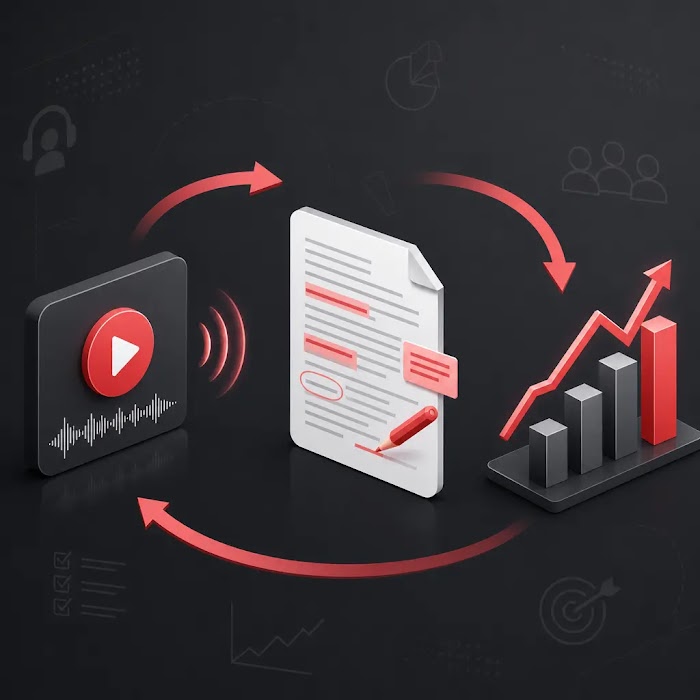
sales script improvement — Continuous improvement cycle of scripts based on video call analysis

How to Improve Sales Pitch Using Meeting Records

Understanding how to improve your sales pitch based on meeting notes is essential for converting more prospects. Sales pitch can be significantly improved by analyzing customer reactions to key arguments in video calls. Some points generate genuine interest – customers ask questions, request examples, seek details. Other arguments pass by unnoticed – customers don’t react, quickly move to the next topic. Others might even cause negative reactions – customers start objecting or comparing with competitors.

Meeting recordings show when it’s best to present pricing information in the presentation, which effectiveness proofs work for different customer segments, which use case examples generate the most response. You might notice that mentioning a specific case always leads to additional questions, while abstract benefits leave customers indifferent.

Based on this analysis, you can change argument order in your pitch – put the strongest at the beginning, remove weak ones or replace them with more convincing alternatives. Strengthen examples and proofs where customers regularly show skepticism, and adapt language to formulations customers themselves use. As a result, the sales pitch becomes not a product monologue but a dialogue in the language of customer needs.

How to Improve Product Presentation After Customer Meetings

Knowing how to improve your product presentation after meetings is crucial for maintaining prospect engagement. Analysis of demos and presentations reveals many opportunities for material improvement. If customers often ask the same question during or after demonstration, this question needs to be anticipated in the presentation or the answer included in the demo scenario. If customers regularly don’t understand the value of a certain feature, the explanation needs redoing – use different examples, change the showing sequence, add context.

Meeting recordings show where presentations drag on and customers start losing attention. Perhaps the introduction is too long and you need to move faster to specific customer tasks. Or conversely – customers need more context before feature demonstration. You might notice that certain slides always generate many questions – meaning information isn’t presented clearly enough.

It’s especially useful to analyze moments when customers ask to “show again” or “explain in detail.” This is a direct signal that material needs reworking. If customers often ask about integrations in the middle of the demo, move this block to the beginning. If they lose interest in technical details, shorten this section and focus on business benefits. Product presentation should evolve in response to real customer reactions, not remain static. For a complete picture of changes, sales department analytics and dashboards are helpful for tracking dynamics and effectiveness of all updates.

Review of Best Video Call Analysis Tools

Modern video call analysis platforms provide extensive capabilities for recording, transcription, and intelligent conversation search. Solutions like tl;dv, Allego, and Spiky automatically record meetings in Zoom, Teams, and Google Meet, create text transcriptions, and allow quick finding of needed fragments by keywords. These platforms integrate with popular CRM systems and automatically link recordings to deal cards. The review of video meetings with clients through these tools provides valuable insights for improving sales approaches.

For the Ukrainian market, solutions with Ukrainian and Russian language support are especially important. Ringostat AI offers call analysis with high transcription accuracy for the local market, while Voicee for amoCRM automatically evaluates conversation quality and checks script compliance. AI Calls24 for Bitrix24 analyzes customer sentiment and creates tasks based on conversation content.

When choosing a platform, pay attention to transcription quality for your language, ability to create tags and quick navigation through recordings, sentiment analytics availability, and ready integrations with your CRM. Secure data storage functions and compliance with information protection requirements are also important. The best solutions don’t just record and transcribe calls but also provide tools for collective analysis, creating training materials, and tracking team improvement dynamics.

What Metrics to Track After Script and Presentation Changes

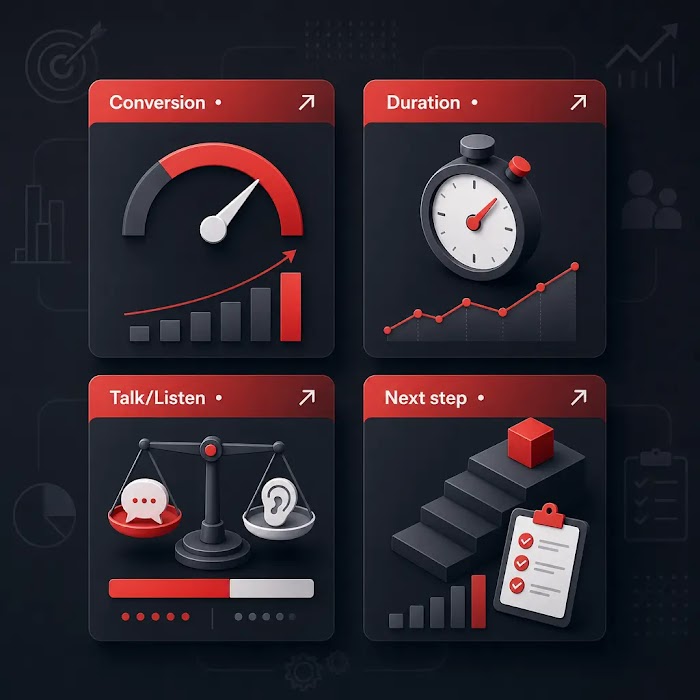
Any changes to scripts and presentations need evaluation by specific numbers, not managers’ subjective feelings. Key metrics include conversion from meeting to next step – shows how effectively managers close meetings for specific actions. Conversion from demo to commercial proposal indicates product presentation quality and objection handling during demonstration.

The share of meetings with a recorded next step shows how well managers use the script’s final part. Talk-to-listen ratio helps control conversation balance – overly talkative managers usually worse at identifying customer needs. Number of recurring objections and refusal reasons show which script parts still need refinement.

You should also track average meeting duration – significantly increased time might indicate the new script became too cumbersome, while drastically shortened time suggests superficial needs analysis. Conversion to deal and funnel movement speed are ultimate effectiveness indicators of all changes. Without regular measurement of these metrics, it’s impossible to understand whether updated scripts and presentations actually work better than previous versions. To enhance cold communication effectiveness, it’s also recommended to study effective cold calling rules and implement them in team training.

sales effectiveness metrics — Key metrics for evaluating updated scripts and presentations effectiveness

Systematic video meeting analysis is a powerful tool, but it works most effectively only within a comprehensive approach to building a sales department. “Sales Rocket” creates complete systems where customer meeting analysis organically integrates with CRM analytics, team training, and continuous script improvement.

Our flagship “Sales Department Systematization” service includes not only call analysis tool implementation but also effective script development, KPI dashboard setup, manager training, and quality control system creation.

We work with you from initial audit to achieving stable results – our clients get an average revenue increase of +35%, with the best result being +$10,907,403 in 4 months of work. Instead of experimenting with scattered analysis tools for months, get a ready system that will start delivering results in the first weeks of implementation.

Create a sales department that turns every meeting into profit!

Conclusion

image

Video meeting recordings are a real treasure trove of data about how customers actually make decisions, which arguments convince them, and which leave them indifferent. Systematic analysis of this data allows continuous improvement of sales scripts, makes presentations more convincing, and teaches managers to handle objections based on real examples. The best script isn’t one written once in an office and used unchanged for years, but one that evolves with understanding of customers and market. Each video meeting provides new information for improvement, and companies that know how to collect and use this information gain serious advantage in competing for customers.

In this article:
See more
Book a FREE sales funnel audit
CONTACT US
FAQ
How to improve sales pitch using meeting records?

Analyze customer reactions to each argument in your pitch – which points generate questions and interest, which remain unnoticed. Change argument order, strengthen examples where customers show skepticism, remove weak formulations, and use language that customers themselves employ.

How often should you review video meetings with customers?

Conduct weekly reviews of key meetings focusing on specific skills, and monthly analysis of trends across all calls for script updates. Important deals and problematic meetings should be reviewed immediately while details are fresh in memory.

Who should update scripts after call analysis?

Sales department head together with experienced managers and with marketing participation. Initiative can come from analyst or sales trainer, but final changes should be approved by those responsible for team results and understanding customer specifics.

SUBSCRIBE TO MY TELEGRAM CHANNEL
The most valuable sales information right on your phone!
icon

LOTS OF USEFUL INFORMATION, FREE TEMPLATES, AND CHECKLISTS ON MY INSTAGRAM

Materials and practical advice on sales growth in our blog: