icon

How to Implement Adaptation for a Remote Team and Maintain Sales Effectiveness

The transition to remote work is often perceived by employees as a breath of freedom, and by business owners as a loss of control. The truth is somewhere in between. A remote sales department is not just an office team in a Zoom conference. It’s a fundamentally different structure with its own dynamics and requirements.

Want a high-performing sales team without the hassle?
We’ll build it for you.
Contact Us

Key Takeaways

  • Office onboarding works on atmosphere, remote onboarding works on regulations. Without clear instructions, checklists, and documented processes, a newcomer will spend the day confused, not knowing what to do.
  • Extroverts used to face-to-face communication quickly burn out when working remotely. Look for candidates with self-discipline, written communication skills, and a ready workspace at home.
  • An online sales funnel with clear criteria at each stage and automatic call logging separates real work from activity simulation in the CRM.
  • Micromanagement with reports every 15 minutes kills initiative, ignoring an employee once a week kills motivation. Daily short check-ins and weekly reviews are needed.
  • Restricting database access by IP, prohibiting data export, and two-factor authentication protect the client base better than any NDA.

In the full article, you’ll find a step-by-step adaptation plan by days and weeks, ready-made checklists for technical readiness, and specific tools to combat burnout in a remote team 👇

In the office, a newcomer adapts almost automatically: watching how colleagues work, absorbing corporate culture, always able to approach and ask questions. With remote work, such natural adaptation doesn’t occur. Here, atmosphere is replaced by clear regulations, digital tools, and special discipline (you can learn more about the specifics of a remote team in our separate article).

A salesperson used to working in the thick of events finds themselves alone with a monitor. And the manager can’t see what the employee is doing and loses important non-verbal feedback. How do you build a system where remote managers not only meet their goals but also feel part of the team? Let’s figure it out.

Fundamental Differences: Why Office Instructions Break Down Online

When transitioning a sales department to remote work, many managers try to simply copy office processes to an online sales department. But they quickly encounter the “black box” effect – when it’s impossible to see what an employee is actually doing. The computer screen may show an open CRM, but what’s really happening is a real mystery.

In the office, you notice when a manager is nervous before an important call or when they’re postponing unpleasant tasks. From tone and gestures, it’s clear how effectively a conversation with a client is going. Online, all these non-verbal signals disappear. You only get the result, while the process remains behind the scenes.

Remote sales team adaptation requires three times more communication than office work. What is transmitted naturally in an open space (corporate culture, professional tricks, informal mentoring) needs to be formalized in remote work. Every process must be documented as a checklist, every deal reflected in the CRM, every decision documented. The system should work without constant supervision from management.

The lack of physical contact also reduces employee loyalty to the company. They don’t see the people they work with, don’t participate in shared lunches and informal meetings. This leads to employees changing jobs more easily – the psychological barrier to leaving is much lower than when you have to say goodbye to colleagues in person. That’s why it’s so important to create a virtual environment where the team feels united. Now let’s look at what qualities the ideal candidate for remote work should have.

Profile of the Ideal Remote Worker

Remote hiring is not the same as selecting an office employee. If a charismatic extrovert often becomes a sales star in the office, at home they can quickly lose motivation without the usual social interaction. Remote work requires a different psychological profile.

The ideal remote sales manager has high self-discipline. They can organize their work process without external control, start and end the workday on time, and don’t get distracted by household chores. Such a person has developed written communication skills – they clearly formulate thoughts in correspondence and can convey information without personal contact. Digital literacy is also important – the ability to quickly learn new programs and effectively use technical tools.

How do you check these qualities before hiring? The selection process for a remote team should include specific tests. For example, ask the candidate to complete a small task with a clear deadline. Evaluate not only the result but also the response speed and quality of communication. Check technical preparation – ask them to set up Zoom for an interview, share their screen, and use basic program functions.

Special attention should be paid to the candidate’s workplace. Ask where they plan to work. Ideally, they should have a dedicated work area, good internet connection, and minimal distractions. A poor workplace is a serious risk to productivity. If someone plans to work with a laptop in the kitchen where family members are constantly moving around, it’s a reason to question their readiness for remote work.

Remember, if you hire an “office” extrovert for remote work, adaptation will most likely fail. They will lack live communication and team energy, and will quickly burn out. Now let’s talk about what technical ecosystem is needed for successful remote sales team operation.

Technical Ecosystem

Without the right set of tools, onboarding employees online is practically impossible. Technology becomes the foundation on which the entire communication and control system is built. Adaptation tools play a key role in increasing transparency and systematic work, starting with cloud telephony and ending with full integration of all work processes.

Let’s start with cloud telephony. This is a basic tool for any sales team, but it’s especially important for remote work. Choose a solution with the ability to record all conversations and listen to calls in real-time. This allows a manager or mentor to join important negotiations and help a newcomer if difficulties arise. A good cloud telephony system also provides analytics on the number and duration of calls, giving objective data on manager activity.

A CRM for a remote sales team becomes not just a convenient tool, but a critical necessity. Here, not only functionality is important, but also ease of use. Set up the system to force the filling of all required fields and to record every step of customer interaction. The sales funnel should be elaborated in detail with clear criteria for transition between stages. This makes the manager’s work transparent and allows tracking where exactly problems arise.

A knowledge base is another key element. In the office, a newcomer can ask a colleague at the next desk for advice. In remote work, such opportunities don’t exist, so all knowledge must be systematized and accessible. Notion or Confluence are excellent for creating a corporate knowledge base. It should store conversation scripts, answers to common objections, product information, instructions for working with CRM and other systems.

A corporate messenger, whether Slack or Telegram, should have a clear channel structure and etiquette rules. Create separate channels for work issues, technical support, and informal communication. Establish usage rules – for example, in what cases to use personal messages and when to write in the general chat. Define the expected response time for messages.

When the technical ecosystem is set up, you can move on to the adaptation process itself. Let’s look at what an effective onboarding roadmap for a remote sales department employee looks like.

Managing a remote sales department often seems like a challenging task for a leader – you feel control slipping away and efficiency decreasing without personal presence. Sound familiar? At “Rocket Sales,” we’ve created a unique methodology for adapting and managing remote teams, based on experience building more than 150 sales departments across 14+ different niches. Our approach not only maintains effectiveness during the transition to remote work but enhances it through clear process structuring, implementation of digital control tools, and special programs for adapting new employees.

We don’t just consult but work with you to create a complete ecosystem – from developing detailed scripts and regulations to setting up CRM systems with automated reporting that allows you to control every stage of a manager’s work. This systematic approach provides our clients with an average turnover increase of +35%, and in some cases – up to +1.6 million dollars over 4 months of cooperation.

Create a sales department that works like clockwork even at a distance – get a free consultation on adapting your team to remote work!

Online Adaptation Roadmap

In remote adaptation, spontaneity is the enemy of effectiveness. If in the office a new employee can always find something to do or ask for advice, remotely they can sit for hours in confusion, not knowing what to do next. Therefore, the adaptation plan should be scheduled literally hourly, especially in the first days.

A good online adaptation roadmap includes not only a training schedule but also clear checklists for each stage. It’s important to understand the stages of sales department adaptation – the sequence of mastering new processes, with clear results and goals at each of them. An employee should understand what result is expected from them at the end of the day, week, month. This creates structure and reduces anxiety that often accompanies starting work at a new company, especially in a remote format.

It’s important for a leader to remember that an adaptation plan is not dogma, but rather a navigator. It can and should be adjusted based on the individual characteristics of the employee and their learning speed. The main thing is that at every moment both the manager and their supervisor understand what stage they are at and what the next step will be. Let’s look in more detail at what the first day of remote employee adaptation should look like.

Day 1: Technical Onboarding and "De-virtualization"

The first workday sets the employee’s mood for the entire adaptation period. In a remote format, there’s no opportunity for traditional “office walking” and personal acquaintance with colleagues, so this process needs to be structured differently.

Start the day by checking technical readiness. Make sure the employee has access to all necessary systems: corporate email, CRM, telephony, messenger, knowledge base. Conduct a brief instruction on each system – how to log in, where to find instructions, who to contact in case of technical problems.

The most important element of the first day is team “de-virtualization.” Organize a video conference to introduce the new employee to all colleagues. Be sure to turn on cameras! This helps create a personal connection and overcome the barrier of virtual communication. Introduce each team member, talk about their role and experience. Give the newcomer an opportunity to talk about themselves.

After the general introduction, it’s worth conducting more detailed meetings with key employees with whom the new manager will interact most often. This could be their direct supervisor, mentor, colleagues from related departments. Such one-on-one meetings create deeper contact and help integrate into the team faster.

Don’t forget about legal formalities. Signing NDAs and other documents can be organized through electronic document management systems. Make sure all necessary documents are processed on the very first day.

The final stage of the first day is checking the employee’s workplace. Ask them to show through the camera where and how they will work. Assess the quality of internet connection, noise level, workplace ergonomics. If there are problems, help find solutions. For example, if an employee’s home is noisy, you can recommend noise-canceling headphones or offer compensation for coworking. Everyday details are critically important for the long-term effectiveness of a remote employee, and it’s better to resolve these issues immediately. Now let’s move on to the first work week.

Week 1: Immersion Through "Digital Shadowing"

The first week is the most intensive period of adaptation. In the office, a newcomer could simply sit next to an experienced colleague and observe their work. In a remote format, this role is fulfilled by “digital shadowing” – a set of techniques that allow immersion in the work process without personal presence.

The main tool here is screen sharing through Zoom or a similar program. An experienced manager shows how they work with CRM, conduct telephone negotiations, prepare commercial proposals. The newcomer observes, asks questions, takes notes. After the demonstration, roles are reversed: the new employee tries to perform the same actions under the mentor’s supervision.

Another powerful training tool is listening to call archives. Prepare a selection of successful and unsuccessful negotiation recordings with analysis of key moments. Explain what sales techniques were used, how objections were handled, what could have been done better. This helps the newcomer understand quality standards and adopt correct behavior models.

To prevent the employee from feeling isolated, implement a daily stand-up ritual. Every morning the team gathers for a short video conference, where everyone shares their plans for the day and results from the previous day. This creates a sense of community and maintains work rhythm. Evening reports are also important – they help summarize the day and plan the next.

The first week is a time of maximum airtime loading. Gaps in the schedule create a feeling of abandonment and uncertainty. Therefore, a new employee’s day should be scheduled almost by the minute: training sessions, practical assignments, team meetings. Even if the employee hasn’t started active sales yet, they shouldn’t have to wonder “what should I do now?”

At the end of the first week, conduct an interim summary. Discuss with the new employee what’s going well and where difficulties arise. Adjust the training plan based on their progress. Perhaps some topics need more attention, while others can be covered faster. After the first week of immersion, it’s time to move to the next stage – reaching target indicators.

Month 1: Reaching Target Indicators

After the first week of intensive training, it’s time to gradually transition to independent work. This is a critical moment in adaptation – too quick a transition can cause stress and quality reduction, while too slow a transition will lead to loss of motivation and dependence on the mentor.

Start by providing the employee with a small number of real leads or clients. Let these be not the most complex or priority contacts, but real potential clients. This will allow the newcomer to apply the knowledge gained in practice, but with less pressure.

Establish a progressive sales plan. For example, in the first week of independent work – 30% of the standard plan, in the second – 50%, in the third – 70% and so on until reaching full capacity. This approach creates realistic expectations and gives time for adaptation.

Implement a daily coaching system. The manager or mentor should listen to selected calls from the new employee (either in real-time or recorded) and provide constructive feedback. Feedback should be specific and balanced – note both successes and areas for improvement.

As the employee’s independence grows, the control system also changes. If initially you track their activity (number of calls, time in the system), gradually the focus shifts to results – the number of scheduled meetings, prepared commercial proposals, closed deals.

CRM becomes the main control tool. Set up the system to see a complete picture of the employee’s work: what stage each deal is at, what actions are being taken, what the conversion is for each sales step. This provides objective data on productivity without the need for constant supervision.

By the end of the first month, the employee should reach target indicators and work mostly independently. However, support should not stop completely – continue regular meetings to discuss complex cases and professional development. Now let’s look at how to effectively manage a remote team through a system of indicators.

Management Through Indicators: Dashboards Instead of Supervision

In remote work, traditional control methods based on personal observation don’t work. Instead, a system of management through indicators emerges – clear metrics that reflect the real effectiveness of an employee.

The basis of this approach is a detailed online sales funnel. Each stage of the funnel should have clear criteria and measurable indicators. For example, for cold calls, such indicators would be: number of calls, connection rate, conversion from conversation to the next step (meeting, presentation, commercial proposal). For the commercial proposal preparation stage – preparation time, percentage of proposals leading to a deal, average check.

Visualization of this data through dashboards allows immediate situation assessment. The manager sees not only the final results but also problem areas in each manager’s work. For example, if an employee has a high connection rate but low conversion to the next step, the problem is in the script or negotiation skills. And if there’s a low connection rate with a large number of attempts, the problem is likely in the quality of the database or the choice of time for calls.

It’s important to learn to distinguish real work from activity simulation. Some employees can create the appearance of busy activity: constantly moving the mouse, making multiple notes in the CRM, spending a long time preparing presentations. But in the end, only results matter – calls to potential clients, sent commercial proposals, issued invoices.

A common problem with remote teams is the gap between reporting and reality. An employee may claim in a report that they made 50 calls, but actually made only 20. The solution is the integration of telephony with CRM, automatic logging of all communications. When a manager knows that the system automatically records all their actions, there’s no incentive for falsification.

Transparency in analytics creates a climate of trust in the team. When everyone sees objective data about their work and colleagues’ work, there’s no feeling of unfairness or management bias. This is especially important for remote teams, where the lack of personal contact can breed mistrust and speculation.

Also, to evaluate current results, it’s recommended to use proven methodologies for sales effectiveness evaluation. This approach allows the leader to timely adjust the team’s work strategy.

However, along with control through indicators, security risks also arise. How do you protect valuable company information when working with remote employees? We’ll talk about this in the next section.

Information Security and Database Protection

Remote work creates additional risks for company information security. This especially concerns client databases and deal data – the most valuable assets of a sales department. It’s necessary to integrate data protection into the remote employee adaptation process from the very beginning.

The main security principle is restricting access on a need-to-know basis. A new employee should only get access to the data they really need for work. For example, instead of a complete client database, they are given only their segment. As trust and experience grow, access can be expanded.

Technical protection measures include IP address restriction. Configure your CRM so that it can only be accessed from certain IP addresses or through a corporate VPN. This prevents unauthorized access from other devices.

Prohibiting data export from the CRM is another important security measure. Most modern CRM systems allow disabling the export function to Excel or other formats for certain user groups. If export is still necessary for work, set up automatic notification to the manager for each instance of data export.

Training in information security rules should be part of the adaptation process. Explain to the employee why data protection is so important, what risks exist, and what they personally can do to ensure security. Prepare simple instructions for safe work: how to create strong passwords, how to recognize phishing attacks, how to safely use public Wi-Fi networks.

Legal protection through signing a non-disclosure agreement (NDA) completes the set of measures. The document should clearly define what information is considered confidential, what actions with it are prohibited, and what the responsibility is for violating the agreement.

However, even with the strictest security system, remote employees can experience stress and burnout due to isolation. Let’s consider how to combat these problems.

Fighting Isolation and Burnout

Psychological problems are one of the main challenges of remote work. Sales managers, deprived of the usual communication with colleagues and live client reactions, often experience a sense of isolation and burn out faster. For the company, this results in decreased effectiveness and high turnover.

The main cause of burnout in remote work is the lack of change in environment. The employee is constantly in the same space, boundaries between work and personal life blur. There are no natural breaks for lunch with colleagues or informal communication by the coffee machine. As a result, the workday becomes a continuous marathon of calls and emails, which quickly depletes psychological resources.

To combat isolation, create channels for informal communication in the corporate messenger – a kind of “digital smoking room.” Encourage employees to share not only work issues but also personal news, hobbies, interesting findings. Such channels create a sense of community and human connection even at a distance.

Virtual coffee breaks are another effective tool. Set aside 15-20 minutes a day or an hour a week for informal video meetings where non-work issues, common interests, news, weekend plans are discussed. Such meetings can be structured around certain topics or just leave space for free communication.

Online corporate events require a creative approach but can be very effective for team building. Virtual quizzes, joint online games, tastings (when all employees are delivered the same sets of products) create shared impressions and memories that strengthen team spirit.

Gamification of work processes adds an element of game and competition to everyday tasks. Leaderboards, virtual badges for achievements, accumulation of “experience points” for performing various actions – all this makes work more exciting and reduces monotony.

Special attention should be paid to employees working from different cities. It’s hardest for them to feel part of the team. Periodic face-to-face meetings, if possible (for example, once a quarter), significantly strengthen the connection between remote employees. If physical meetings are impossible, longer virtual sessions with deep immersion in common projects and company values can serve as a replacement.

Supporting physical health is also critical for burnout prevention. Encourage employees to take regular breaks, go for walks, exercise. Some companies offer compensation for gym memberships or subscriptions to meditation and stress management applications.

Experience of successful adaptation will help understand how to deal with such challenges in practice – get acquainted with the story of successful adaptation of a real department.

Creating an atmosphere of support and understanding will help remote employees feel part of a unified whole, even if they’ve never met in person. However, it’s not enough to just implement all these practices – you also need to avoid common mistakes in managing remote teams.

Remote Management Mistakes

image

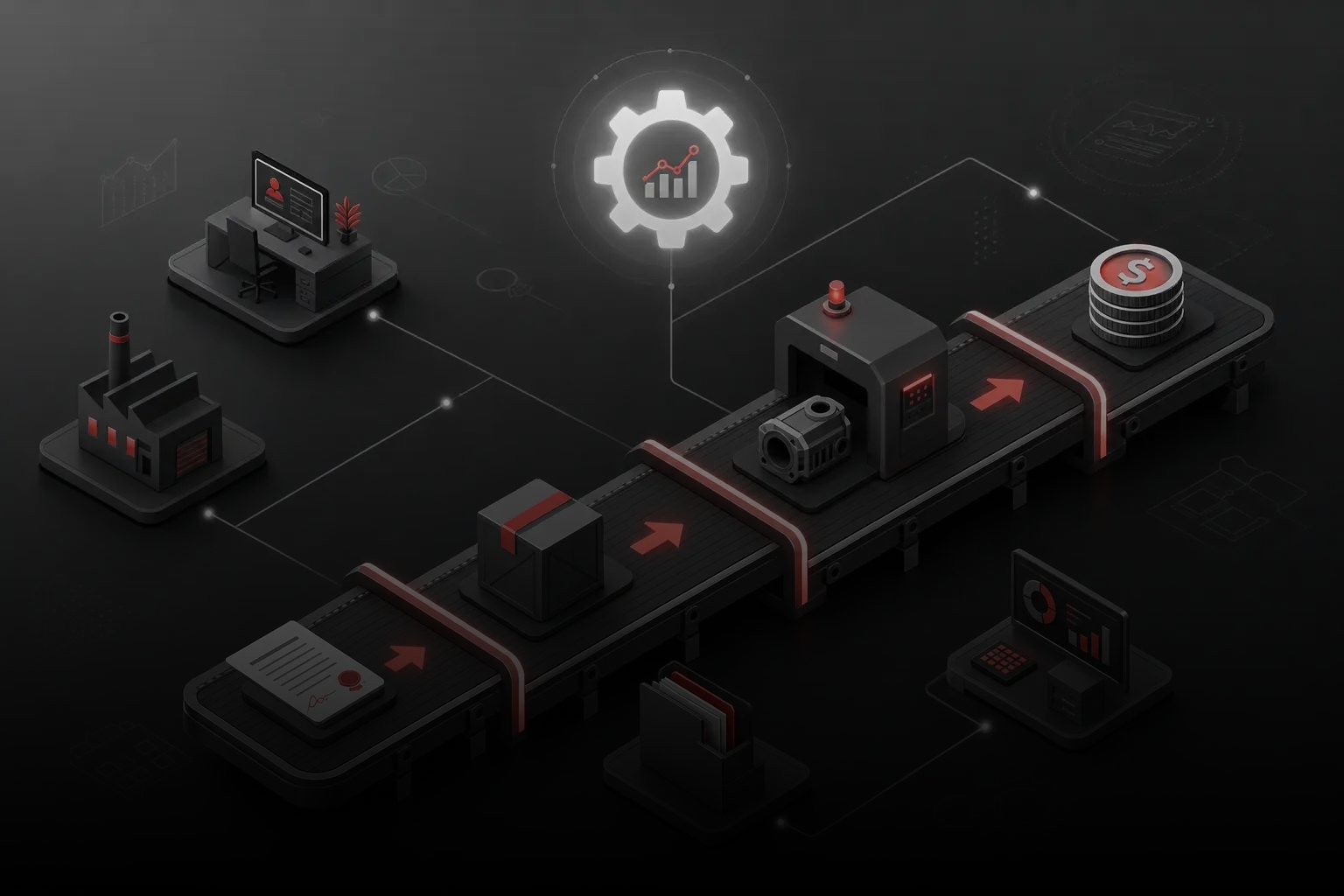
Remote management of a sales team is the art of balance. Too much control stifles initiative, too little leads to loss of focus. Let’s look at typical mistakes of remote team leaders that can negate all efforts to adapt new employees.

Micromanagement is the most common mistake of inexperienced remote team leaders. Fearing loss of control, they demand reports every 15 minutes, constantly check task status, call with “how’s it going?” questions several times a day. This approach demonstrates distrust in the employee and causes stress. Instead, establish clear KPIs and regular checkpoints (for example, morning and evening calls), and the rest of the time let people work independently.

The opposite extreme is ignoring, when a manager contacts a remote employee once a week or less. In such a vacuum, a newcomer quickly loses motivation and sense of belonging to the team. Even experienced employees need regular feedback and confirmation that their work is important. The optimal approach is daily short check-ins and more detailed weekly progress discussions.

Text wars are another common mistake. When conflict or misunderstanding arises, the manager tries to resolve it through messenger correspondence. Text doesn’t convey tone or emotion, which leads to conflict escalation. Any complex or emotionally charged issues need to be discussed in a video call or at least by phone, where you can hear the interlocutor’s tone.

Blurring work time boundaries creates chronic stress for employees. Calls and messages outside working hours, expecting immediate responses in the evening or on weekends destroys the balance between work and personal life. Establish clear communication rules: what hours the employee should be available, when urgent calls are allowed, what response time to messages is considered acceptable during and outside working hours.

Another common mistake is uneven distribution of attention. The manager spends more time with “problem” employees, leaving successful managers without support and recognition. This leads to the best employees feeling undervalued and losing motivation. Allocate time to work with each team member, note successes, and help develop even the most effective employees.

It’s also necessary to avoid technological overload – implementing too many tools without clear necessity. When an employee is forced to use a dozen different programs and switch between them, this reduces productivity and causes frustration. Choose the minimally necessary set of tools and integrate them with each other to create a unified ecosystem.

Before starting to adapt a remote sales team, it’s worth conducting an audit of the company’s readiness for this process. Check how your infrastructure, processes, and culture meet the requirements of remote work.

Audit of Your Readiness for Remote Work

Transition to remote work requires careful preparation. To assess your company’s readiness for this step, answer the following questions.

How formalized are your business processes? Do you have clear instructions and regulations that a new employee can follow without constant personal guidance? If most knowledge is passed “by word of mouth,” you first need to create a knowledge base before transitioning to remote work.

Is your technical infrastructure ready? Assess how easily employees can access necessary systems from home. Do you need to configure VPN or other security systems? Do you have cloud telephony with call recording capability? Does your CRM for a remote sales team provide transparency in the sales process?

Are sales scripts and answers to typical customer objections documented? Will a new employee be able to find answers to their questions without the need to constantly consult colleagues? If not, you’ll need to create detailed guides and frequently asked questions.

Do you have video instructions for working with internal systems? It will be much easier for a new employee to adapt if they can see how to perform typical operations, not just read about them.

How much does your corporate culture support remote work? Are employees accustomed to relying on written communication? Do you have a practice of regular virtual meetings? Are managers ready to trust employees and evaluate them based on results rather than hours at the workplace?

How is the support system for remote employees organized? Who can they contact with technical problems? Who answers questions about products or processes? The more clearly these roles are defined, the fewer points of tension there will be during the transition to remote work.

What is your quality control system? How do you check that an employee follows company standards? How is the quality of customer interaction evaluated? In remote work, these processes must be more formalized and transparent.

Are you ready to invest in employees’ technical equipment? You may need to provide them with quality headsets with microphones, webcams, additional monitors, or other equipment for effective work from home.

How is the motivation and reward system structured? Will bonuses and commissions be calculated by the same rules as for office employees? How do you plan to recognize the achievements of remote employees? If you need ideas, check out the practices of sales department motivation.

Do you have a contingency plan? What will happen if an employee’s internet or electricity goes out? How will the process be organized in case of illness of key specialists?

By answering these questions, you’ll get a clear idea of how ready your company is for the transition to remote work, and what else needs to be prepared for successful remote sales team adaptation.

Conclusion

Remote sales team adaptation is a litmus test of your business’s systematicity. In the office, many process shortcomings are compensated by personal communication and atmosphere, but in the online format, all defects become clearly visible. If chaos reigns in the office, remotely it will turn into a real disaster.

Successful onboarding a remote sales team is only possible with careful preparation. First, you need to systematize all processes, create the necessary infrastructure, develop clear regulations and instructions. Only then can you proceed to hiring and adapting employees. Don’t try to build a plane in flight – it rarely ends successfully.

With the right approach, a remote sales department can work no less effectively than an office one, and in some aspects even surpass it. Freedom from geographical limitations in remote hiring, savings on office expenses, increased discipline, and focus on results – these are all real advantages of the remote format that can significantly strengthen your business in the long term.

Building an effective system for remote sales team adaptation is not just a set of instructions, but a comprehensive transformation of business processes. But attempts to implement it independently often lead to loss of time, money, and valuable employees. At “Rocket Sales,” we offer a ready solution – a full cycle of building and adapting remote sales departments on a turnkey basis.

Our experts will conduct a deep audit of your business, identify bottlenecks, and create a personalized system including detailed checklists for each work stage, fully digitized processes for training new employees, and modern control tools through KPIs and analytical dashboards. We will implement cloud telephony with conversation recording, set up CRM with transparent analytics, and create a digital knowledge base that will become the foundation for quick and effective adaptation of any new employee.

Clients who have implemented our remote team adaptation methodology note not only an average 35% sales growth but also a significant reduction in staff turnover, increased process transparency, and the ability to scale business without geographical limitations. Among our partners are companies such as Mitsubishi, Yamaha, and Naftogaz.

Transform your sales department into an effective remote team that consistently fulfills the plan at 150% - submit an application for comprehensive implementation of a remote adaptation system!
In this article:
See more
Book a FREE sales funnel audit
CONTACT US
FAQ
How do you control that a manager is really making calls, not just sitting in the CRM?

Use telephony integrated with CRM that automatically records all calls. Set up the system so that the manager cannot manually mark calls – only the system should log actual conversations. Regularly listen to selected recordings to assess quality. Additionally, monitor the full deal cycle: if the manager isn’t calling, they won’t have scheduled meetings and sent proposals.

Which schedule is better for a remote sales department: fixed or flexible?

Optimally – a combination of both approaches. Establish mandatory “anchor” hours (for example, from 11:00 to 16:00) when all employees must be available for joint meetings and synchronous work. The rest of the working time can be flexible, taking into account individual preferences and target audience characteristics. It’s important to focus not on time at the computer, but on KPI fulfillment.

How do you conduct stand-ups if employees are in different time zones?

Choose “overlapping” time when all employees’ working hours intersect, even if for some it will be early morning and for others – the end of the workday. Record all stand-ups for those who couldn’t attend and store them in an accessible place. Additionally, organize asynchronous communication through task managers or documents with daily updates that each employee fills out at a convenient time for them.

Should you pay for internet and equipment for a remote employee?

Best practice is to provide a basic set of equipment (laptop, headset) or pay compensation for using personal equipment. Regarding internet, many companies offer a fixed monthly compensation (for example, 50% of the average market cost of quality connection). Such investments quickly pay off through better working conditions and greater employee loyalty.

How do you dismiss a remote employee who hasn't passed adaptation, and preserve access?

Think through the “de-onboarding” procedure in advance. Create a checklist of actions upon dismissal, including: changing all passwords to which the employee had access; deactivating accounts; revoking access to cloud services; requesting return of equipment (if provided). Use single sign-on (SSO) systems that allow centrally managing access. Conduct dismissal at the beginning of the workday so that IT specialists can promptly block all accounts.

SUBSCRIBE TO MY TELEGRAM CHANNEL
The most valuable sales information right on your phone!
icon

LOTS OF USEFUL INFORMATION, FREE TEMPLATES, AND CHECKLISTS ON MY INSTAGRAM

Materials and practical advice on sales growth in our blog: