icon

TOP-5 Task Managers for Organizing a Sales Department

Modern sales departments face an enormous flow of tasks: lead processing, negotiations, preparing proposals, sending commercial offers, and monitoring deal statuses. Keeping all this in your head is impossible, and scattered notes and tables have long been unable to cope with complex management of work processes. Task managers are becoming critically important tools that help structure chaos, automate routine work, and ensure transparency across the entire team.

Want a high-performing sales team without the hassle?
We’ll build it for you.
Contact Us

Key Takeaways

  • Chaos in a sales department doesn’t come from a lack of tools, but from the absence of a single task space visible to both the manager and the team.
  • A manager who tracks tasks in a notebook breaks the process when going on vacation or leaving the company. A corporate task manager preserves context and history without losses.
  • Strong systems allow automatic task creation based on triggers (a lead hasn’t responded for 2 days, a deal is stuck at a stage), rather than relying on memory.
  • Choosing a system based only on price or a красивый interface leads to abandonment after 2–3 months.
  • Implementation without a prior process audit turns a task manager into a mirror of existing chaos rather than a tool for order.
  • In the article below, you’ll find specific criteria for choosing a system, signals to look for during testing, and a step-by-step implementation framework to avoid common mistakes 👇

With a properly chosen task manager, leaders gain complete visibility of employee workloads, the ability to quickly redistribute tasks, and monitor KPI fulfillment. That’s why a properly selected task manager for a team becomes not just a convenient tool but the foundation of a manageable sales system. Sales managers stop missing important tasks and always know what next step to take with each client. Let’s figure out which tools will help your sales department work like a well-oiled machine.

Today, companies actively use various task trackers, task managers, and task management software for sales teams to bring order to processes and not lose clients at each stage of the funnel.

What is a task manager and why does a sales department need it

A task manager is a specialized system for planning, distributing, and monitoring task execution. Unlike simple to-do lists in notebooks or smartphone notes, professional task managers allow you to create complex workflows, assign responsible persons, set priorities, and track progress in real-time. Such task managers are used both in small teams and as a full-fledged task manager for a company, where process transparency and task execution control are important.

For a sales department, regular task tracking tools often prove ineffective. The reason is simple: sales is a team game where what matters is not just the completion of individual actions but the continuity of the process and transparency at all stages. When a manager keeps their task list in a personal notebook or spreadsheet, the supervisor doesn’t see the big picture, and colleagues cannot pick up the work in the employee’s absence.

Imagine a situation: a client requests a complex commercial proposal requiring the participation of several departments. Without a unified task system, it’s easy to lose control of the process: who is currently working on cost calculation? who is preparing the presentation? what stage is discount approval at? A task manager creates a unified information space where all these questions have clear answers.

Here are the key tasks that a task manager solves in a sales department:

  1. Lead generation management – each new lead becomes a task for a specific manager, which eliminates “lost” potential clients
  2. Communication control – recording all calls, meetings, and correspondence linked to tasks
  3. Tracking deals at different stages – visualization of sales funnel stages and tasks at each stage
  4. Coordination between managers and departments – transparent distribution of responsibilities
  5. Automation of routine – setting up recurring tasks and automatic reminders

Using a professional task manager allows you to elevate the discipline and efficiency of the sales department to a qualitatively new level. Now let’s look at what specific advantages this provides.

Key functions and benefits of a task manager for a sales team

A good task manager can completely transform the work of a sales department, turning chaotic activities into an organized system. But for this to happen, the tool must have a certain set of functions and capabilities specifically adapted to the specifics of sales. Modern systems serve as tools for assigning tasks to managers, allowing automatic distribution of work and control of execution without manual intervention.

The main advantage of a task manager is the systematization of work with clients and deals. Instead of scattered records and calendar reminders, all tasks for each client are collected in one place. This allows the manager to quickly restore the context of communication: when was the last contact, what was discussed, what next actions are planned. Such organization drastically reduces preparation time for calls and meetings, and minimizes the risk of an important client “falling off the radar.”

Centralized task storage opens new opportunities for delegation. A manager can see each salesperson’s workload in real-time and quickly redistribute tasks if necessary. This is especially valuable in situations where an employee goes on vacation or resigns – all their active tasks can be quickly transferred to other team members, maintaining continuity in the client work process.

Transparency is another key advantage of a professional task manager. Task commenting allows all process participants to stay informed of current status, emerging problems, and decisions made. Statuses and deadlines visually show progress and help prevent deadline failures. Task templates ensure unified standards for the entire team, which is critically important for maintaining quality customer service.

For sales department leaders, features for monitoring manager workload and plan fulfillment are particularly valuable. A task manager allows analysis of how many tasks each employee completes, what types of tasks take the most time, and how activity is distributed throughout the day and week. This provides objective data for evaluating efficiency and optimizing work processes. Read more about efficiency analysis methods and important metrics in the article on sales department KPI monitoring.

Modern task managers offer rich integration possibilities with other tools: CRM systems, email clients, calendars, and messengers. Such integration allows automatic task creation from incoming emails, meeting synchronization with calendars, and notification receipt in messengers. The result is a unified ecosystem for working with clients, where all communication channels are linked to specific tasks and deals.
As a result, the company gets not just a tool, but a full-fledged task manager for a company that helps manage workload, control deadlines, and increase sales conversion.

Now that we understand the value of a task manager for a sales department, let’s consider how to choose the optimal solution for your team.

Facing chaos in managing your sales department tasks? You’re not alone – more than 70% of leaders admit their managers lose potential clients due to unsystematic approaches to task organization. At “Rocket Sales,” we’ve developed a comprehensive solution for systematizing sales processes, which includes not just implementing a task manager, but also complete CRM system setup, automation of routine operations, and creation of clear work regulations. Our methodology allows you to not only structure tasks but also build a transparent system for controlling their execution through KPI dashboards, automatic reports, and analysis of each employee’s effectiveness. As a result of implementing our approach, “Rocket Sales” clients achieve a stable increase in turnover by an average of 35%, and conversion in sales departments increases to 86%. Among our clients are Mitsubishi, Audi, Ford, Mazda, Naftogaz, and other market leaders who have already appreciated the effectiveness of our approach.

Transform chaotic processes into a streamlined system and free up to 40% of manager working time - order a free sales department audit today!

Criteria for selecting a task manager for a sales department

The market offers many solutions – from simple to complex, so it’s important to understand which best task managers truly fit the needs of a sales department.
Choosing a suitable task manager for a sales team is not just about finding a program with a nice interface or low price. It’s a strategic decision that should consider the specifics of your processes, team work characteristics, and long-term business goals.

Let’s start with the most obvious but critically important criterion – interface usability. Salespeople by their nature are oriented toward communication and results, not filling out forms and tables. If the system is too complex, with an overloaded interface and confusing navigation, employees will avoid using it or do so formally. Simplicity and intuitiveness are key to successful implementation. Before purchasing, it’s worth conducting testing with regular sales managers to assess how comfortable they will be working with the system daily.

If you need a simple task manager for a team, pay attention to interface usability and implementation speed.

An important factor is the availability of various task views. People perceive information differently: some prefer lists, others visual Kanban boards, and others calendar views or Gantt charts. A good task manager should support different ways of displaying tasks so each employee can choose the most comfortable format for themselves.

For sales teams with a clear hierarchy and role distribution (group leaders, key account managers, new client managers), flexible access rights configuration is important. The system should allow determining who can create, edit, and view different categories of tasks. For example, a manager needs access to all team tasks, while a regular salesperson only needs access to their own and common department tasks.

Integration with CRM and messengers is another key criterion. Ideally, the task manager should either be part of a CRM system or have two-way integration with it. This will allow automatic task creation when new leads appear, linking tasks to specific deals and contacts, and tracking activities in the context of working with a client. Integration with popular messengers will provide prompt notification receipt and the ability to respond quickly. Learn more about implementation and integration strategies in the article on CRM implementation for a sales department.

Automation of routine actions significantly increases the efficiency of a sales department. Look for a task manager that allows setting up automatic task creation based on triggers (for example, when a deal moves to a new stage or a client doesn’t respond within a certain time), automatic reminders about overdue tasks, and automatic task distribution among team members according to set rules.

Finally, an important selection criterion is the availability of advanced capabilities for generating reports and analytics. A sales department leader needs not just a task accounting system, but a tool for analyzing team effectiveness and optimizing processes. The ability to see how much time is spent on different types of tasks, how the workload is distributed among employees, which tasks are most often overdue – all this is valuable information for making management decisions.
For small teams, a free task manager for a team is also relevant, allowing them to test the approach without significant investment.
For deeper analytics, we recommend familiarizing yourself with the capabilities of sales funnel analytics.

Taking all these criteria into account, let’s consider specific task managers that are well-suited for sales teams.

Review of task managers for a sales department

Below we’ll look at the top task managers that companies most often use to systematize the work of their sales department.
All the solutions listed belong to the category of team task managers, which allow synchronizing the work of the entire team and avoiding task loss.

Worksection

Worksection is a convenient and functional project and task management system that is excellent for small and medium sales teams. This tool has gained popularity thanks to a balanced combination of simplicity and powerful capabilities.

In the context of a sales department, Worksection allows organizing work through the creation of projects for key areas: new clients, current deals, after-sales service, etc. Within each project, tasks are created with clear deadlines, responsible persons, and detailed descriptions. For leaders, the function of controlling manager workload is particularly useful – you can quickly see who is overloaded with tasks and who, on the contrary, is not loaded enough.

The built-in time tracking in Worksection becomes an indispensable tool for analyzing department efficiency. Managers can record the time spent on each task, which allows identifying processes that need optimization. For example, if preparing a standard commercial proposal takes different amounts of time for different employees, this is a reason for experience exchange and procedure standardization.

Another advantage is flexibility through Worksection’s API. The system can integrate with other tools, which allows automating task creation from CRM or setting up data export for analytics to BI systems. For sales teams using several specialized tools, such integration capability becomes a decisive factor.

Among the limitations, it’s worth noting that Worksection is not a full-fledged CRM system, so for comprehensive sales department work, an additional tool for maintaining a client base and managing deals will likely be needed. Also, the system does not have advanced business process automation capabilities, which may be critical for large departments with formalized work procedures.

SendPulse CRM

SendPulse CRM is part of a broader marketing platform specializing in multichannel communication. This solution stands out among competitors with its emphasis on automating customer interaction through various channels: email, chatbots, SMS, and web pushes.

The main advantage of SendPulse for a sales department is auto-funnels and communication automation. The system allows setting up scenarios that automatically create tasks for managers based on client behavior. For example, if a potential client opened a commercial proposal but didn’t respond within two days, the system will create a task for the manager to call back and clarify impressions of the proposal.

A “unified window” for all communication channels is another strong advantage of SendPulse. The manager sees the entire history of interaction with the client in one interface: emails, chatbot messages, calls. This allows quickly restoring context and continuing communication without making the client repeat information already provided. This approach significantly improves service quality and saves time for both managers and clients.

The deal and task management module in SendPulse CRM is intuitively understandable and allows visualizing the sales funnel as a Kanban board. The manager can quickly assess the current situation with deals, see at which stages delays are occurring, and intervene promptly if necessary.

Among the system’s limitations, we can highlight less developed, compared to pure task managers, capabilities for project work and internal task management not directly related to clients. Also, the system may seem excessive for small teams that don’t need the full spectrum of marketing tools offered by the SendPulse platform.

Trello

Trello is one of the most popular visual tools for task management, based on the Kanban board concept. Despite its apparent simplicity, Trello can be effectively adapted for sales department work.

Visual pipeline – the main advantage of Trello for sales. By creating a board with columns corresponding to the stages of your sales funnel (for example, “New Leads,” “Qualification,” “Presentation,” “Negotiations,” “Deal Closed”), you get a clear representation of deal movement. Each card in Trello is a potential client or deal that can be moved between columns as it progresses through the funnel.

Implementation simplicity makes Trello an excellent choice for teams just starting to organize their processes or resisting the use of complex systems. The intuitive interface practically requires no training – most users master the basics in minutes. This is especially important for sales departments, where there’s often no time for lengthy training on new tools.

A huge number of integrations is another advantage of Trello. The system can connect to calendars, email, messengers, and even more specialized tools through Zapier or API. This allows automating task creation and status updates, reducing the amount of manual work for managers.

However, Trello has significant limitations for use as a full-fledged sales department tool. The system does not offer built-in CRM functions, which makes maintaining a client base difficult. There are no developed analytics and reporting tools, critically important for department leaders. In large teams with hundreds of deals, Trello can become inconvenient due to limited filtering and search capabilities.

Asana

Asana is a multifunctional task and project management system that is excellent for teams that value flexibility and detailed planning. In the context of a sales department, Asana offers interesting opportunities for structuring processes and increasing efficiency.

Pipeline management through projects – one of the key advantages of Asana for sales. The system allows creating separate projects for different client segments or deal types, setting up custom fields to record important information (potential deal amount, lead source, closing probability, etc.) and organizing tasks in logical sequences reflecting the stages of working with a client.

Task automation and workflow capabilities in Asana are especially valuable for teams with repeating sales scenarios. You can set up automatic task creation when certain conditions are met, establish dependencies between tasks (for example, you can’t send a commercial proposal until needs analysis is conducted), set up reminders and escalation for overdue tasks.

Convenient teamwork – another strong advantage of Asana. The system allows easily delegating tasks, discussing them in comments, attaching files, and establishing connections between various work elements. This is especially useful in complex B2B sales, where coordination between a sales manager, technical specialists, and management is often required.

Among Asana’s limitations for use in sales departments, we can highlight the absence of built-in specific functions for sales, such as contact and company management, communication tracking, or revenue forecasting. Also, the system may seem excessively complex for small teams with simple sales processes. Some users note that it takes time to set up optimal workflows and train the team.

Jira

Jira, initially developed as a task management system for IT teams, is becoming increasingly popular in other areas, including sales. This is especially relevant for companies that already use Jira in other departments and want to unify task management tools.

The main advantage of Jira for a sales department is flexible process configuration. The system allows describing your sales process in high detail, defining not just the main stages, but also all possible statuses, transitions between them, triggers, and automatic actions. This is especially valuable for companies with complex, multi-stage processes for approving and processing deals.

For complex B2B sales with a long cycle and multiple stakeholders, Jira provides excellent coordination tools. The system allows linking tasks of different teams (sales, technical expertise, legal support, implementation), establishing dependencies, and tracking progress through all stages of working with a client.

Powerful analytics – another strength of Jira. The system offers developed capabilities for creating reports, dashboards, and data visualization. Sales department leaders can receive detailed information about team productivity, process bottlenecks, deal cycle time, and other key metrics.

However, Jira has serious limitations for use as the main tool of a sales department. The system has a rather steep learning curve and may seem too complex for managers without a technical background. There are no built-in CRM functions, such as contact and company management or telephony integration. Implementation and configuration of Jira usually require significant resources and time, which may not be justified for small sales teams.

ClickUp

ClickUp is a relatively new but rapidly gaining popularity universal tool for managing tasks, projects, and workflows. Its feature is the aspiration to combine the functionality of several specialized tools into a single platform.

High customization for CRM tasks – one of the main advantages of ClickUp for a sales department. The system allows creating custom fields, configuring views and forms, which makes it possible to adapt it to the specifics of your sales. You can create a structure similar to a CRM, with contacts, companies, and deals linked to each other.

Process automation in ClickUp is especially useful for standardizing routine operations of a sales department. The system offers a visual automation constructor that allows setting up complex scenarios without programming: automatic task creation on schedule, status changes, notification sending, assigning responsibles, and much more.

“All tools in one place” – this is a concept that makes ClickUp attractive for companies seeking to reduce the number of programs used. Besides task management, the system offers documents, chats, calendar, goal setting, time tracking, and other functions necessary for efficient sales department work.

Among ClickUp’s limitations, we can note that the system may seem overloaded for users who need a simple tool for basic task management. The large number of settings and capabilities requires initial time investment in setup and training. Some specific CRM functions, such as telephony integration or marketing campaign management, may not be implemented as deeply as in specialized solutions.

Implementation stages and recommendations for a successful task manager launch in a sales team

Regardless of whether you choose a task manager for a company or a specialized task manager for sales, success depends not on the tool but on proper implementation.
Implementing a task manager in a sales department is not just installing a new program, but a serious change in work processes that requires a systematic approach. Properly organized implementation can be the key to successful system use and achieving desired results.

The first and critically important stage is preparation for implementation. At this stage, you need to clearly define the goals and objectives that the task manager should solve in your sales department. Conduct an audit of existing processes: how are tasks distributed now? where are results recorded? what problems arise? This will help form requirements for the system and determine project success criteria. It’s also important to secure the support of management and key employees – without their involvement, implementation may face resistance.

After choosing the system, the stage of basic setup begins. Start by creating a structure reflecting your work processes: projects or spaces for different types of clients or work directions, task statuses corresponding to stages of your sales funnel, custom fields for recording important information. It’s important not to complicate the system at the start – it’s better to begin with the minimally necessary set of functions and gradually develop it as the tool is mastered.

It’s important to understand that such systems are not just applications, but full-fledged programs for managing tasks in a sales department, which should be integrated into the team’s daily work.

Team training is a key stage on which implementation success largely depends. Conduct a series of trainings, starting with basic functions and gradually moving to more complex capabilities. Pay special attention to training group leaders and senior managers – they should not only be able to work in the system, but also help their subordinates and control the correctness of tool use.

To consolidate skills, it’s useful to create a detailed user guide with descriptions of typical scenarios for working in the task manager: how to create a task for a new lead, how to record call results, how to transfer a task to a colleague, etc. Such a document should be easily accessible to all employees and regularly updated as the system develops.

Pilot implementation with a limited group of users will help identify problems and adjust settings before full-scale launch. Choose a small team (for example, one group of managers) and ask them to work exclusively through the new system for 2-3 weeks. Regularly collect feedback and make necessary adjustments.

After a successful pilot project, you can move to full-scale implementation. At this stage, it’s important to ensure a smooth transition, avoiding parallel use of old and new tools. Set a clear date after which all work should be done only in the new system.

Regular analysis of use and feedback collection will help gradually optimize processes and task manager settings. Conduct short employee surveys, analyze system usage statistics, track key department performance metrics. Based on this data, make adjustments and develop the system.

Gradual expansion of functionality is the right long-term development strategy. Starting with basic capabilities, gradually introduce more complex functions: automation of routine tasks, integration with other systems, advanced analytics. This approach will allow the team to organically master the tool without stress and resistance.

Properly organized implementation of a task manager can significantly increase sales department efficiency, ensure process transparency, and give management a powerful tool for analyzing and optimizing work. Remember that this is not just a technical project, but a change in work culture, requiring a systematic approach and involvement of all participants.

Typical mistakes in selecting and implementing task managers

image

Despite the obvious advantages, implementing a task manager in a sales department often faces difficulties that can significantly reduce the tool’s effectiveness or even lead to abandoning its use. Understanding typical mistakes will help you avoid common traps and ensure successful implementation.

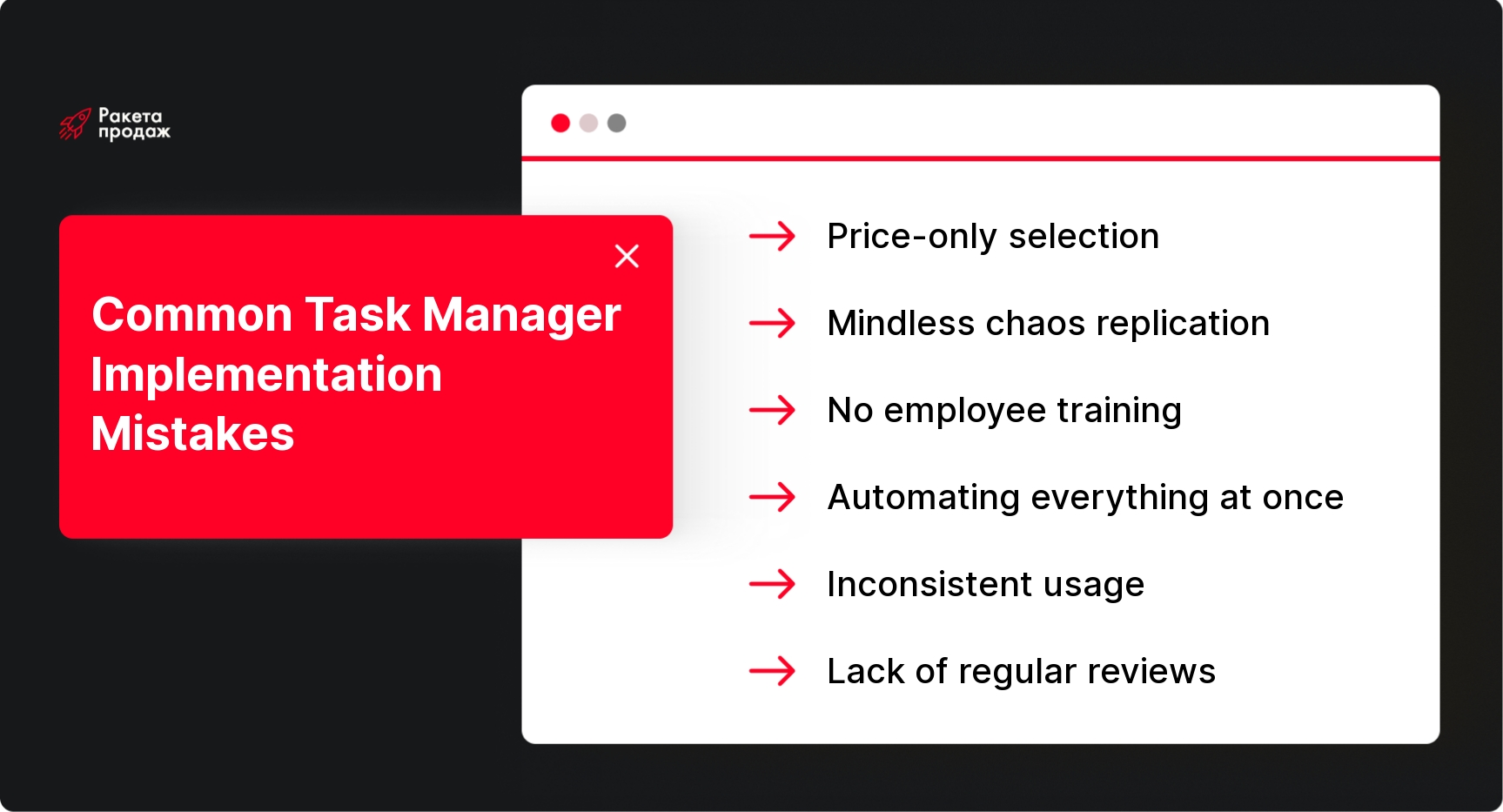
One of the most common mistakes is choosing a system solely based on price, without considering functional requirements. A cheap or free tool may seem attractive at first glance, but if it doesn’t meet the specific needs of your sales department, the result will be low efficiency and, ultimately, abandonment of use. It’s important to conduct a thorough analysis of team needs and choose a system based on meeting these needs, not just license cost.

Implementation without preliminary process analysis is another critical mistake. Many companies try to simply “transfer” existing chaos to a new system without previously optimizing work processes. Result: the task manager becomes a mirror of existing problems, not a tool for solving them. Before implementation, it’s necessary to critically review all sales department processes, eliminate unnecessary stages, standardize recurring actions, and only then configure the system.

Insufficient employee onboarding often becomes a cause of implementation failure. Even the most intuitively understandable system requires training, especially if it involves specific functions for a sales department. Lack of formal training, clear instructions, and the ability to get operational help when questions arise leads to employees using only a small part of the system’s capabilities or returning to familiar but less effective tools.

Trying to automate everything at once is a common mistake of new technology enthusiasts. The desire to simultaneously set up complex automations, integrations with all possible systems, and detailed analytics usually leads to team overload, resistance to change, and technical problems. The best strategy is phased implementation, starting with basic functions and gradually adding more complex capabilities as the system is mastered.

Inconsistent use and lack of regular reviews are factors that can negate all the advantages of even a perfectly selected system. If management doesn’t control how managers use the task manager, doesn’t conduct regular task reviews, and doesn’t use system data for decision-making, employees quickly understand that working in the system is not a mandatory requirement. It’s important from the very beginning to embed task manager use into regular department procedures: daily meetings, weekly sales funnel reviews, monthly results evaluation. Read more about regular mistakes in the article on seller mistakes.

How to minimize salesperson resistance when implementing a new system? First, actively involve the team in the process of selecting and configuring the task manager – this will create a sense of participation and reduce resistance. Second, clearly explain what personal benefits each manager will get from using the system: less routine, more fair work evaluation, less stress from forgotten tasks. Third, provide constant technical support during the implementation stage so employees don’t remain alone with arising problems.

Adaptation and getting maximum effect from a task manager requires time and consistent effort. Regularly analyze how the system is used, collect feedback from employees, track key department performance metrics, and adjust settings and processes based on the data obtained. Remember that implementing a task manager is not a one-time project, but a continuous process of improving team work.

Corporate task managers versus personal "to-do's": what's the difference for sales

Many sales managers are accustomed to relying on personal task organization systems: notebooks, smartphone notes, to-do lists in Google Keep, or simple Excel spreadsheets. The transition to a corporate task manager often causes resistance: “Why complicate things? I’m comfortable as is.” Let’s understand what fundamentally distinguishes corporate solutions from personal “to-do” lists and why this is critically important specifically for a sales department.

The key difference of corporate task managers is the possibility of teamwork and transparency for all process participants. Unlike personal notes, where information is available to only one person, corporate systems create a unified information space where all tasks are visible to the manager and, if necessary, colleagues. This is especially important in sales, where success often depends on coordinated work of different specialists: the manager who communicates with the client, the product manager who prepares technical information, the implementation specialist who plans the project.

Personal systems work great for individual tasks but are completely unsuitable for structured business processes. Corporate task managers allow creating typical task sequences reflecting your sales process: from first contact to deal closure and subsequent support. For each stage, you can define a standard set of actions, responsible persons, and deadlines, which ensures unified standards for the entire team. This is critically important for scaling a sales department and ensuring predictable quality of customer service.

History and context – another important advantage of corporate systems. Unlike personal notes, where usually only the task itself is recorded, professional task managers allow storing the entire work history: comments, attached files, change logs, connections with other tasks and CRM objects. This creates a rich context for working with the client and allows quickly bringing up to speed a new employee or colleague who joins work on the deal.

Access rights control – a critical function for working with confidential information, which sales has a lot of: commercial terms, client personal data, negotiation strategy. Corporate task managers allow fine-tuning who can see, edit, or comment on various types of tasks and projects. This provides the necessary balance between transparency and confidentiality, unachievable when using personal systems or shared tables.

Reporting and analytics – perhaps the most important difference for sales department leaders. Corporate task managers offer rich opportunities for analyzing team work: number of completed tasks, average completion time, task distribution by types and priorities, individual employee workload. Based on this data, you can make informed management decisions: optimize processes, redistribute workload, identify bottlenecks in the sales funnel. If you want to delve deeper into team management and analytics, read the article on sales department management.

Integrations with other corporate systems significantly expand task manager capabilities and reduce manual work. Modern solutions integrate with CRM, email, calendar, telephony, messengers, and other tools, creating a unified ecosystem. This allows, for example, automatically creating tasks from incoming client emails, scheduling calls in the calendar and synchronizing them with tasks, receiving notifications about important events through the preferred communication channel.

Obviously, corporate task managers offer significantly more opportunities for a sales department than personal task organization systems. However, it’s important to understand that the transition from familiar tools to a corporate system is not only technical but also a cultural shift, requiring time, training, and consistent management efforts.

Implementing a task manager is just the first step toward building a truly effective sales system. Without a comprehensive approach, including proper process setup, team training, and regular control, even the most perfect tool won’t bring expected results. “Rocket Sales” offers complete support during implementation and optimization of task management systems in a sales department – from auditing existing processes to creating an individual work methodology and automating key functions. Our experience in building more than 208 sales departments in 14+ different industries allows us to quickly identify and eliminate problem areas, optimize work processes, and implement effective control tools. We don’t just configure software, but create a comprehensive system including automation of task creation from incoming leads, setting up templates for typical actions, integration with CRM and telephony, as well as detailed analytical reports for managers. Over 8+ years of work, our company has helped clients achieve outstanding results – from increasing conversion by 86% to growing turnover by $10,907,403 in 4 months.

Trust task automation to professionals and get a systematic sales department that guarantees to fulfill the plan at 150% every month!

Conclusion

Implementing a professional task manager in a sales department’s work is a strategic decision capable of qualitatively transforming business processes and significantly increasing team efficiency. Not only operational efficiency depends on the right choice and implementation of the system, but also customer satisfaction, reduction of employee stress, and sales growth. The tools we’ve considered – Worksection, SendPulse CRM, Trello, Asana, Jira, and ClickUp – offer different approaches to organizing tasks, and the choice of a specific solution should be based on the specifics of your team, processes, and strategic goals. Remember that the key to success lies not only in system functionality but also in proper implementation, team training, and creating a culture of systematic work with tasks. By investing time and resources in these aspects, you create a solid foundation for the growth and development of your sales department in the long term.
By choosing a suitable task manager for a company, you are effectively investing in process transparency, team manageability, and sales growth.

In this article:
See more
Book a FREE sales funnel audit
CONTACT US
FAQ
What is a task manager and why does a sales department need it?

A task manager is a system for planning, distributing, and monitoring task execution. A sales department needs it to structure work with clients, organize communications, control deals at different funnel stages, and ensure process transparency. A task manager helps avoid “lost” leads, organize managers’ workdays, and give leadership tools for analyzing team effectiveness.

How does a task manager differ from a CRM system?

A CRM system focuses on managing relationships with clients, storing contacts and interaction history, while a task manager concentrates on managing tasks and workflows. However, modern CRMs often include task manager functions, and some task managers integrate with CRMs. For a sales department, the optimal solution is usually a system that combines both functionalities or ensures their close integration.

What sales department tasks are convenient to manage in a task manager?

In a task manager, it’s convenient to manage processing new leads, planning calls and meetings, preparing commercial proposals, agreeing on terms, formalizing deals, tracking payments, and after-sales service. It’s also effective for managing marketing activities, training new employees, and product development. Essentially, any recurring and project tasks of a sales department can be structured in a task manager.

Is a task manager suitable for small sales teams?

Yes, a task manager is suitable for small teams, often even more so than for large ones. In small teams, each employee usually performs diverse functions, and the risk of missing important tasks is higher. Modern task managers offer flexible pricing plans, including free versions with limited functionality, making them accessible for small teams. Key advantages include structuring processes and reducing dependency on specific employees.

How to choose a task manager for a sales department?

When choosing a task manager for a sales department, you should evaluate: interface usability and available task views (lists, Kanban, calendar); access rights configuration capabilities; integrations with CRM, messengers, and other tools; functions for automating routine actions; availability of analytics and reporting for managers. It’s also important to consider solution scalability for team growth and availability of a mobile version for work on the move.

How to monitor the execution of manager tasks through a task manager?

Modern task managers offer several control tools: dashboards with a general picture of team tasks; reports on statuses, overdue tasks, and productivity; filters for highlighting problem areas; comments and activity logs; notifications about important changes. Effective control is built on regular task status checks, discussing problematic moments at team meetings, and connecting task execution to the employee motivation system.

SUBSCRIBE TO MY TELEGRAM CHANNEL
The most valuable sales information right on your phone!
icon

LOTS OF USEFUL INFORMATION, FREE TEMPLATES, AND CHECKLISTS ON MY INSTAGRAM

Materials and practical advice on sales growth in our blog: